Fact sheet Resource Manager (Inbox View)
Add to
Sign In
Use Your LeanIX Workspace
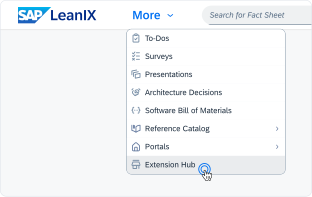
Click 'More' in the main navigation, then select 'Extension Hub'.
You will be signed in automatically.
Change Log
No version history available.
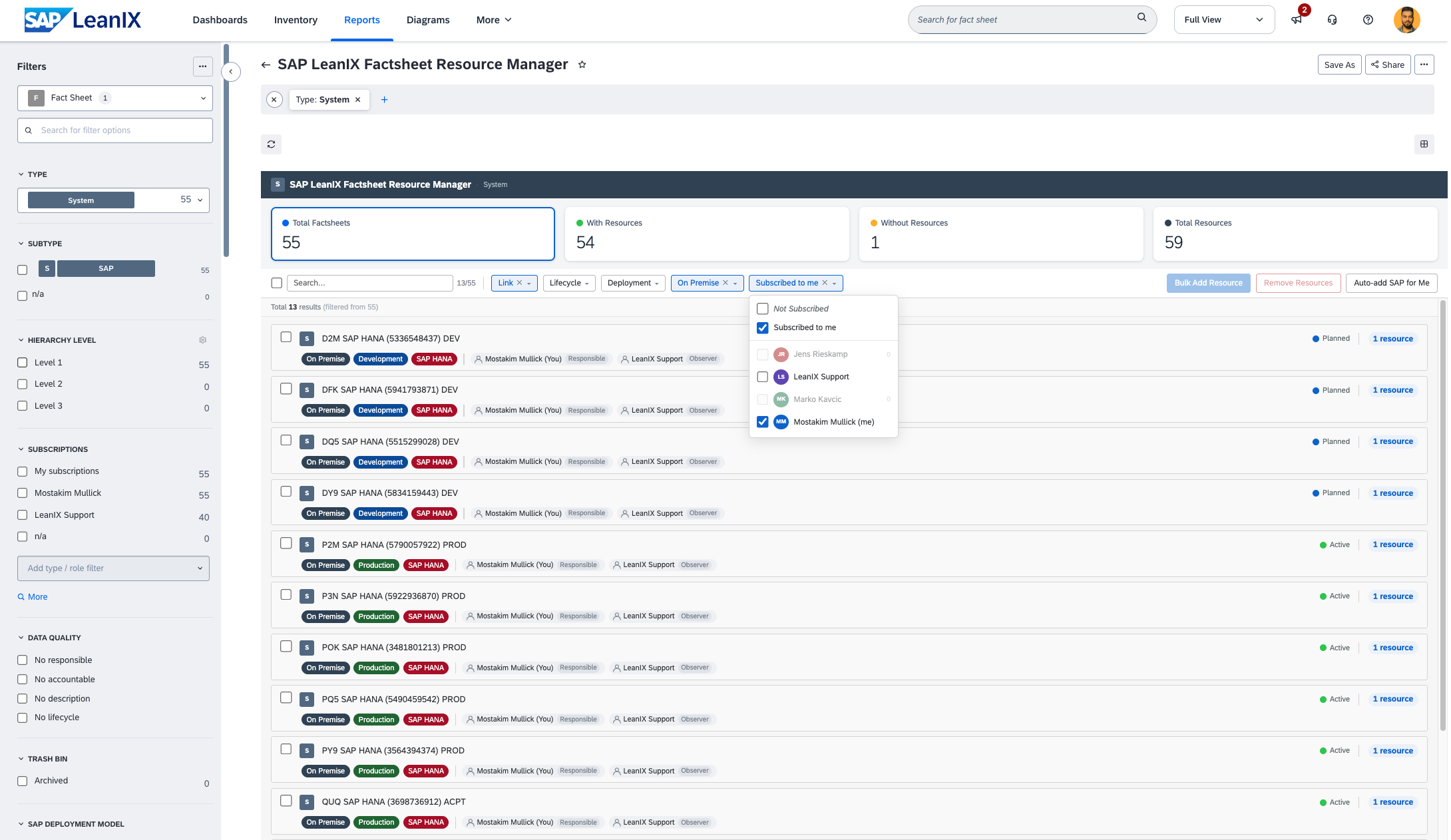
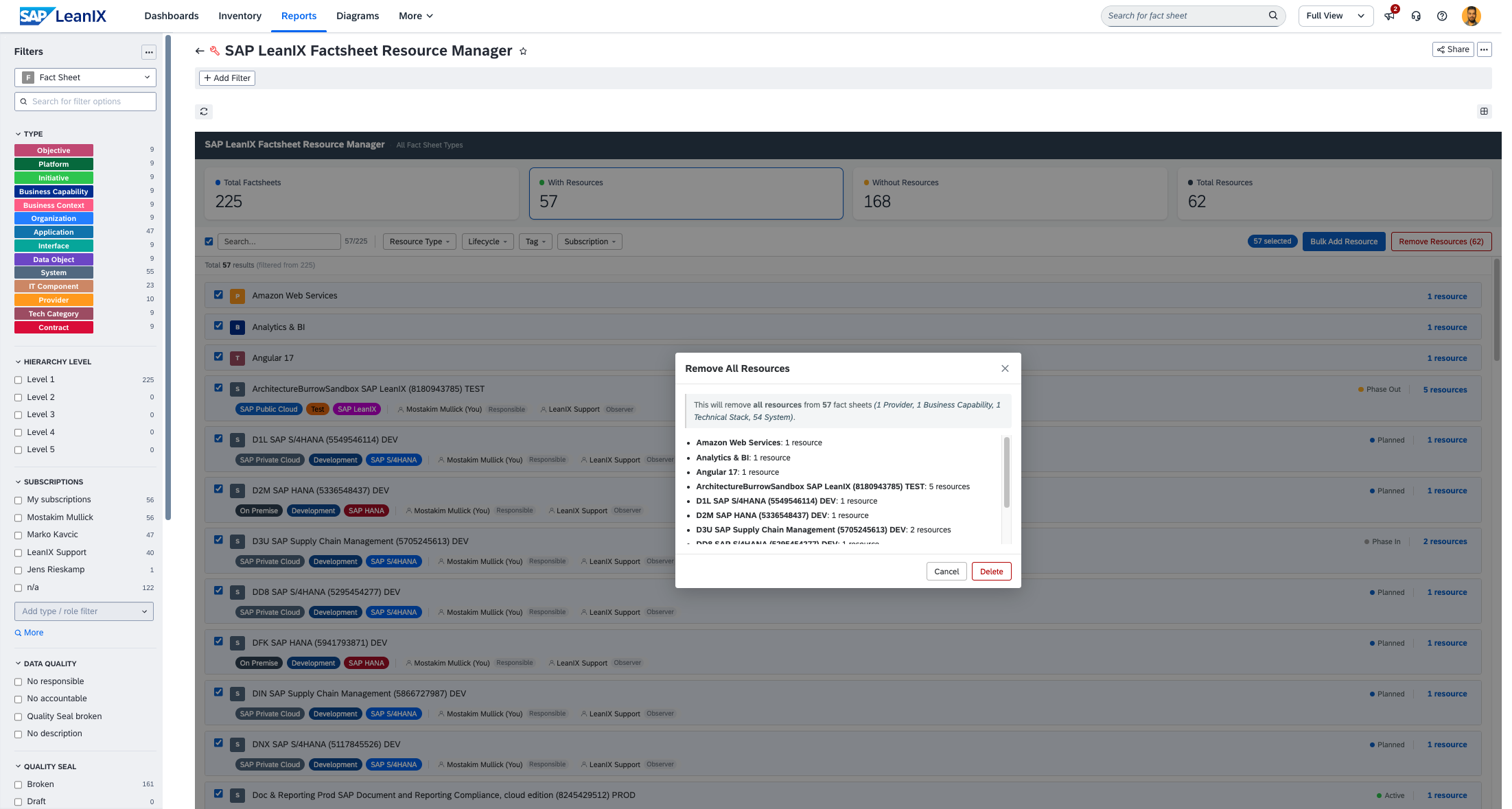
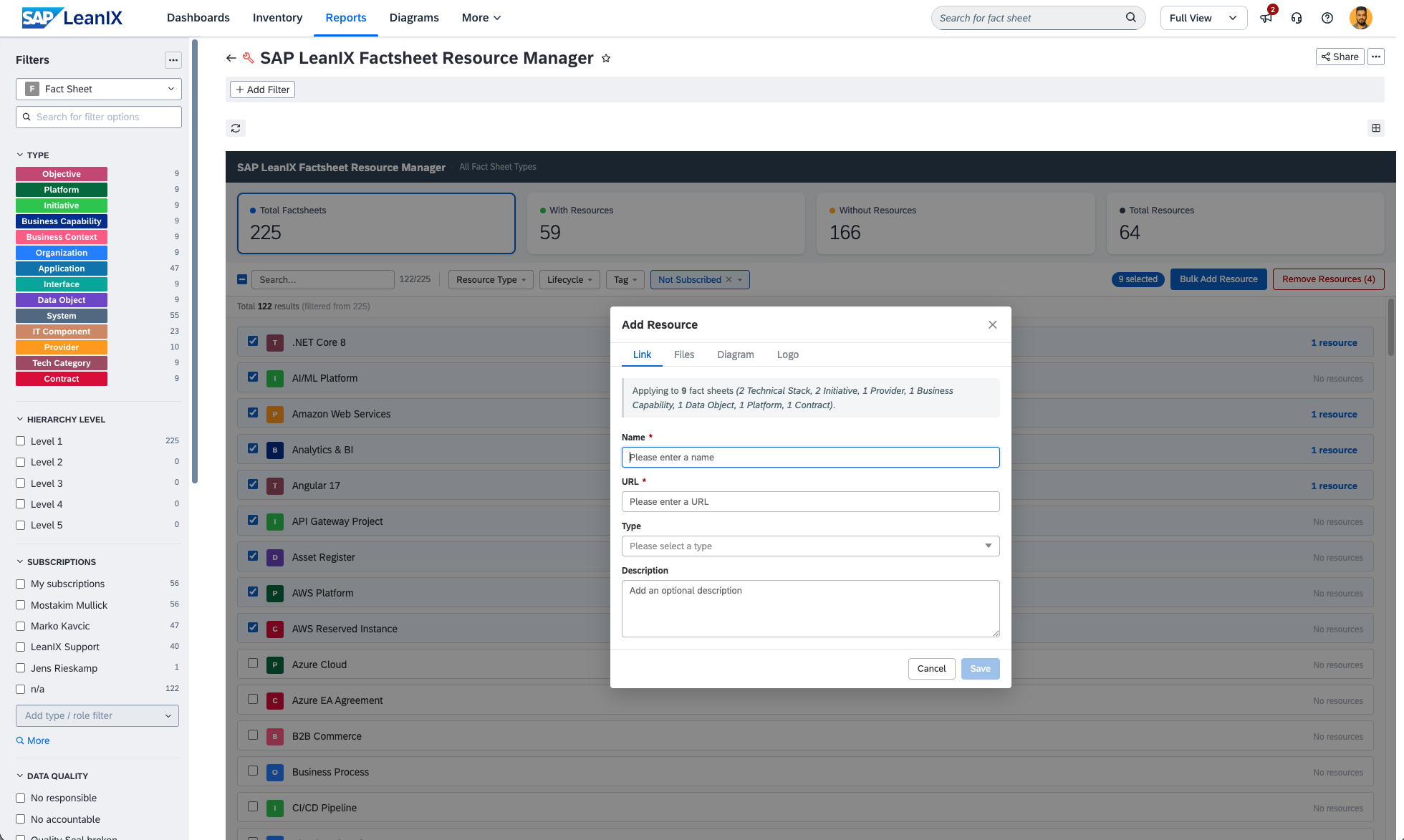
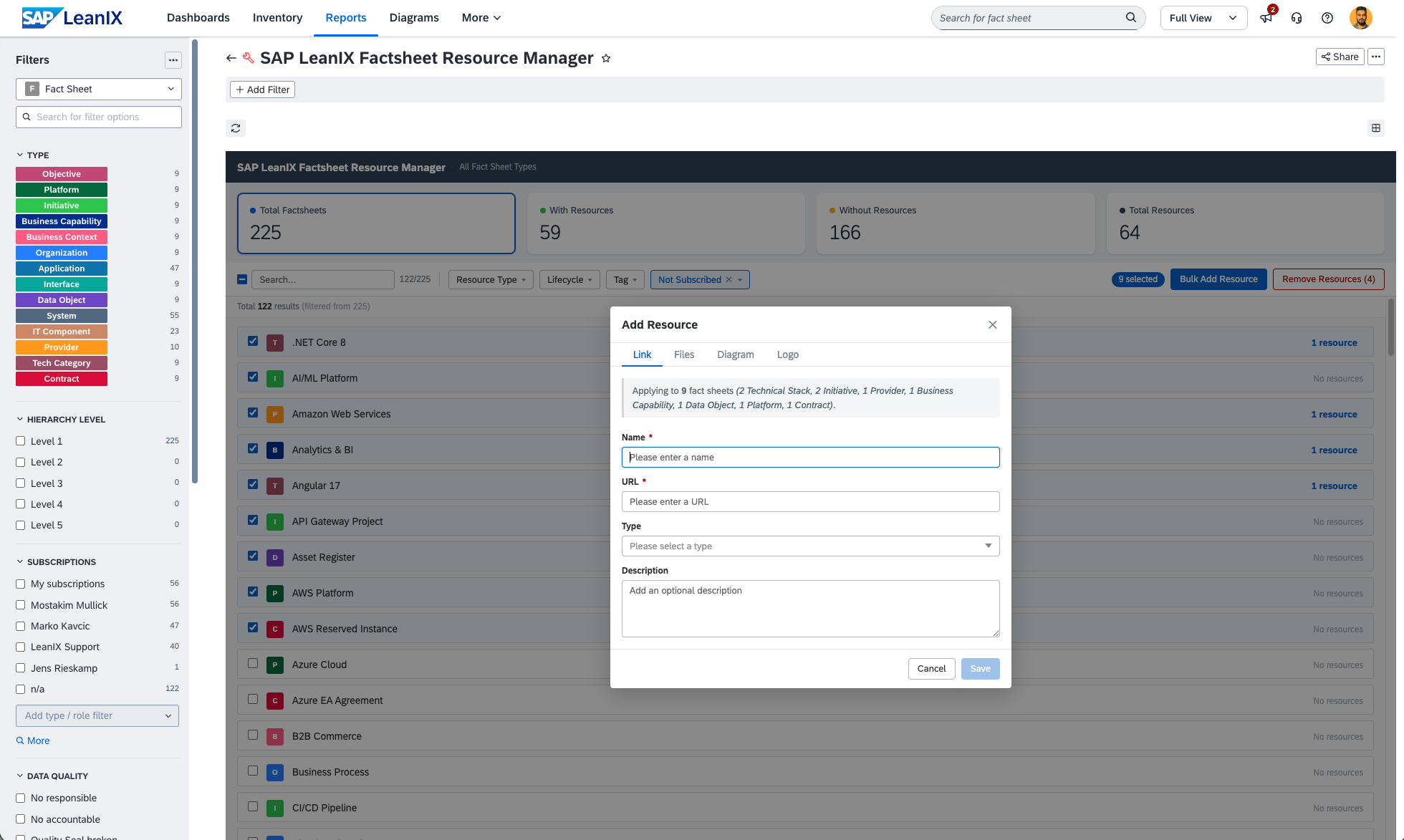
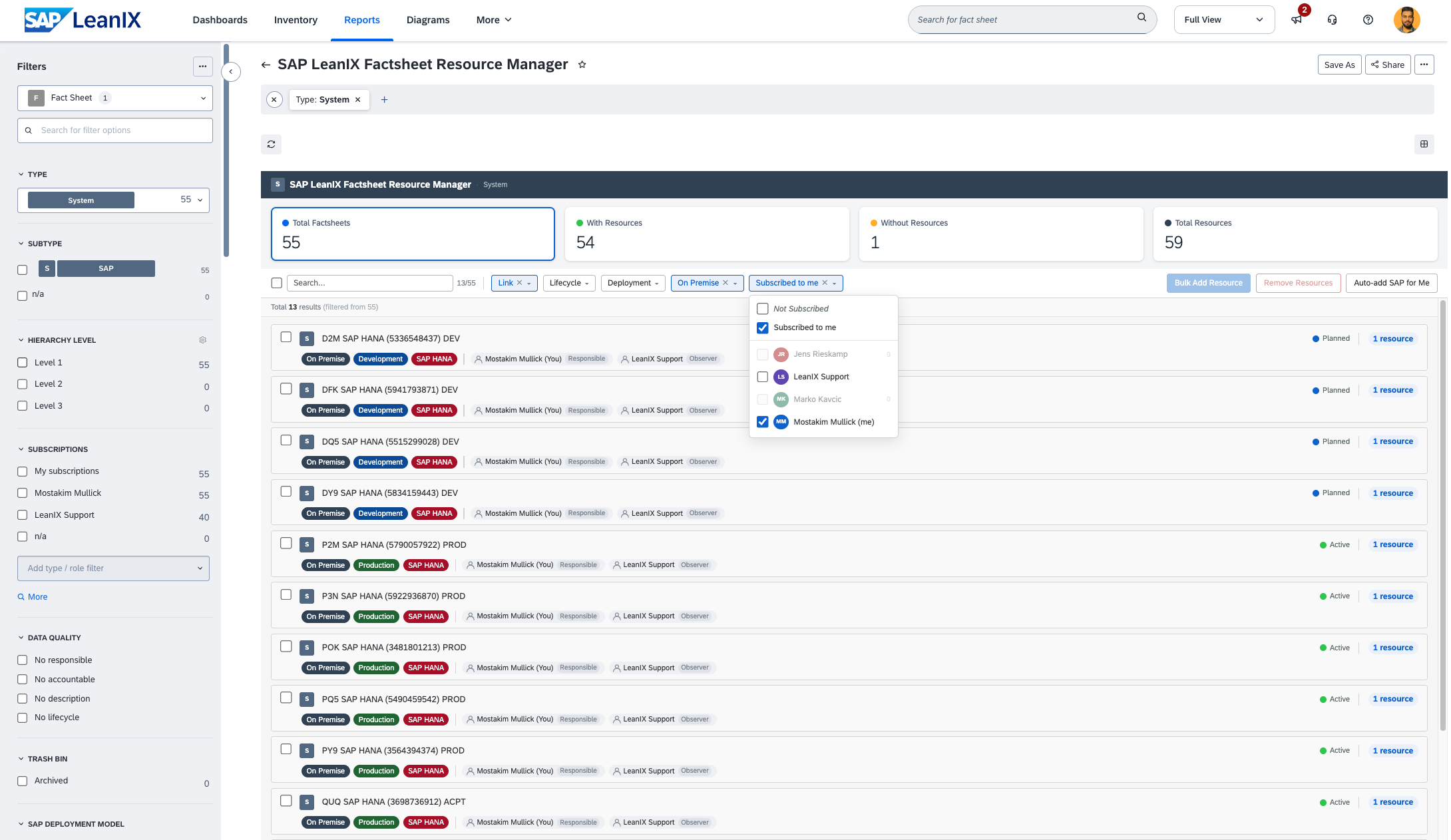
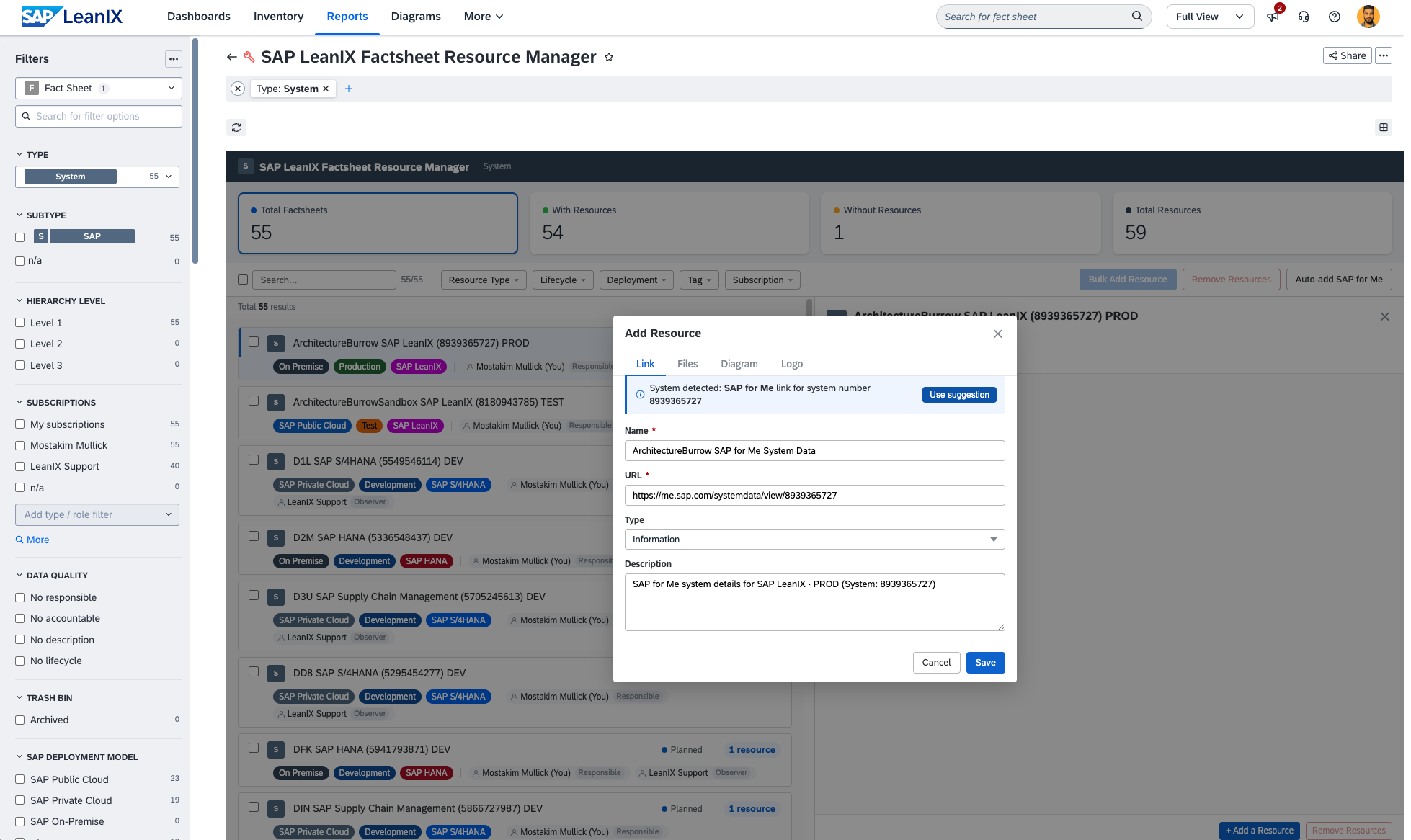
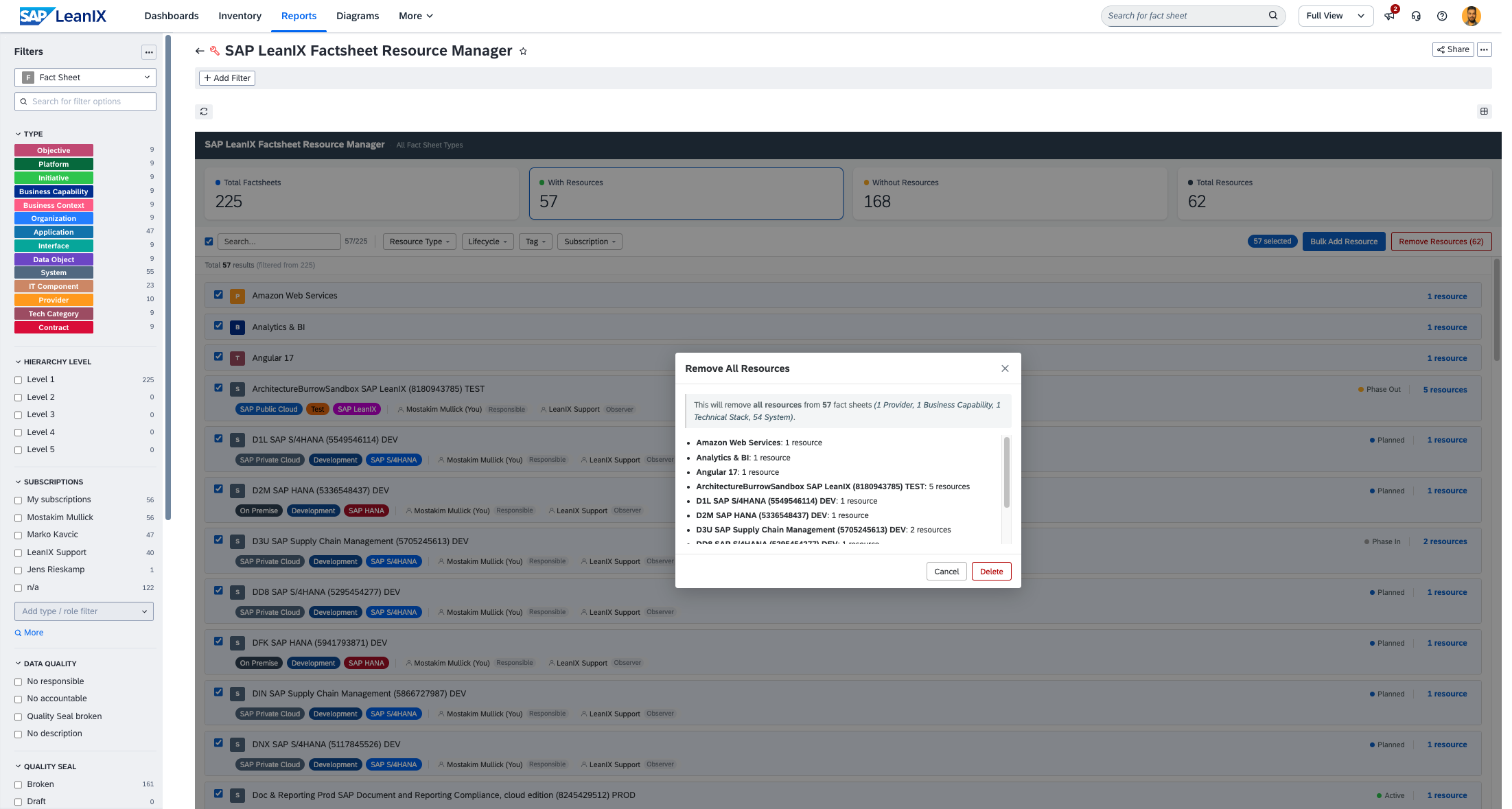
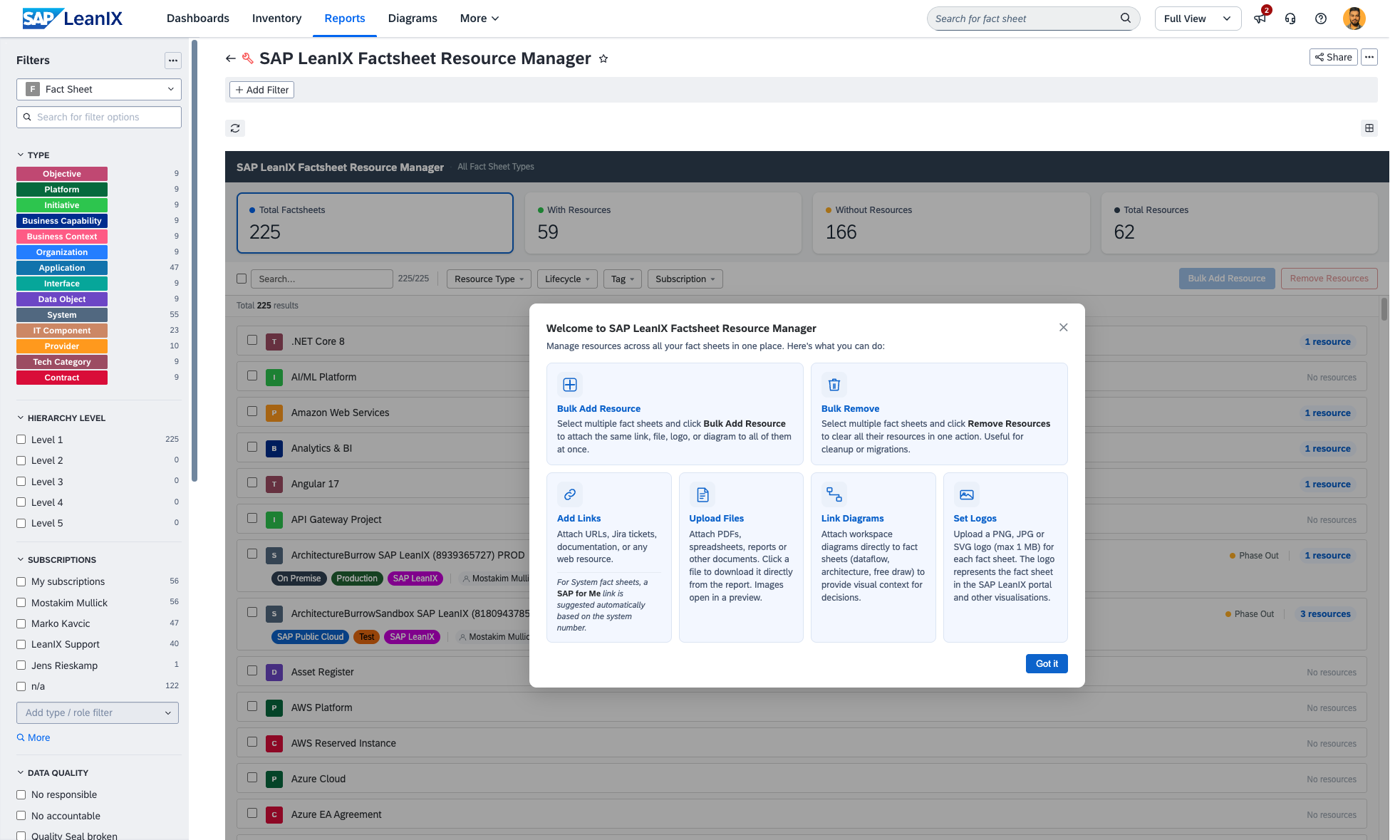
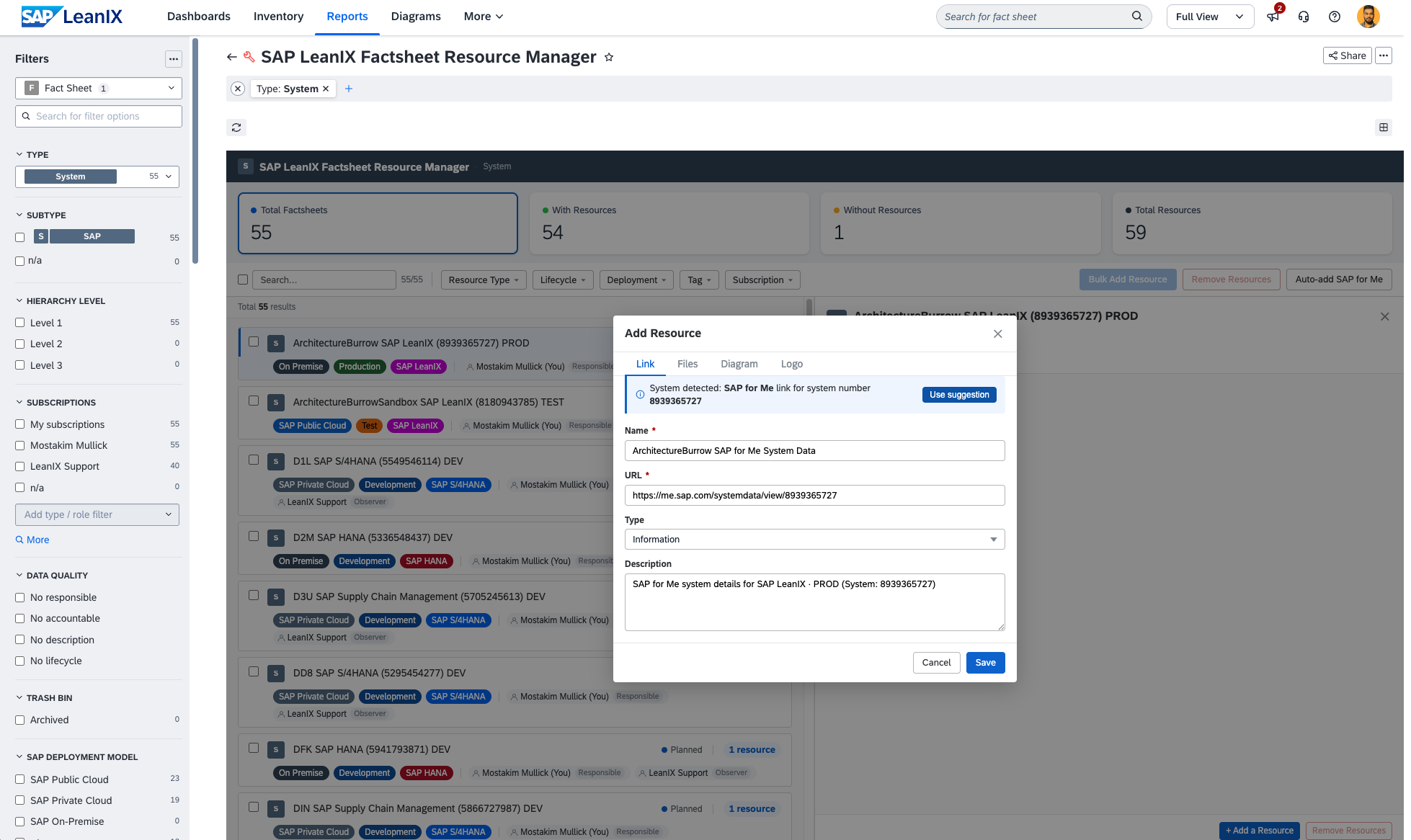
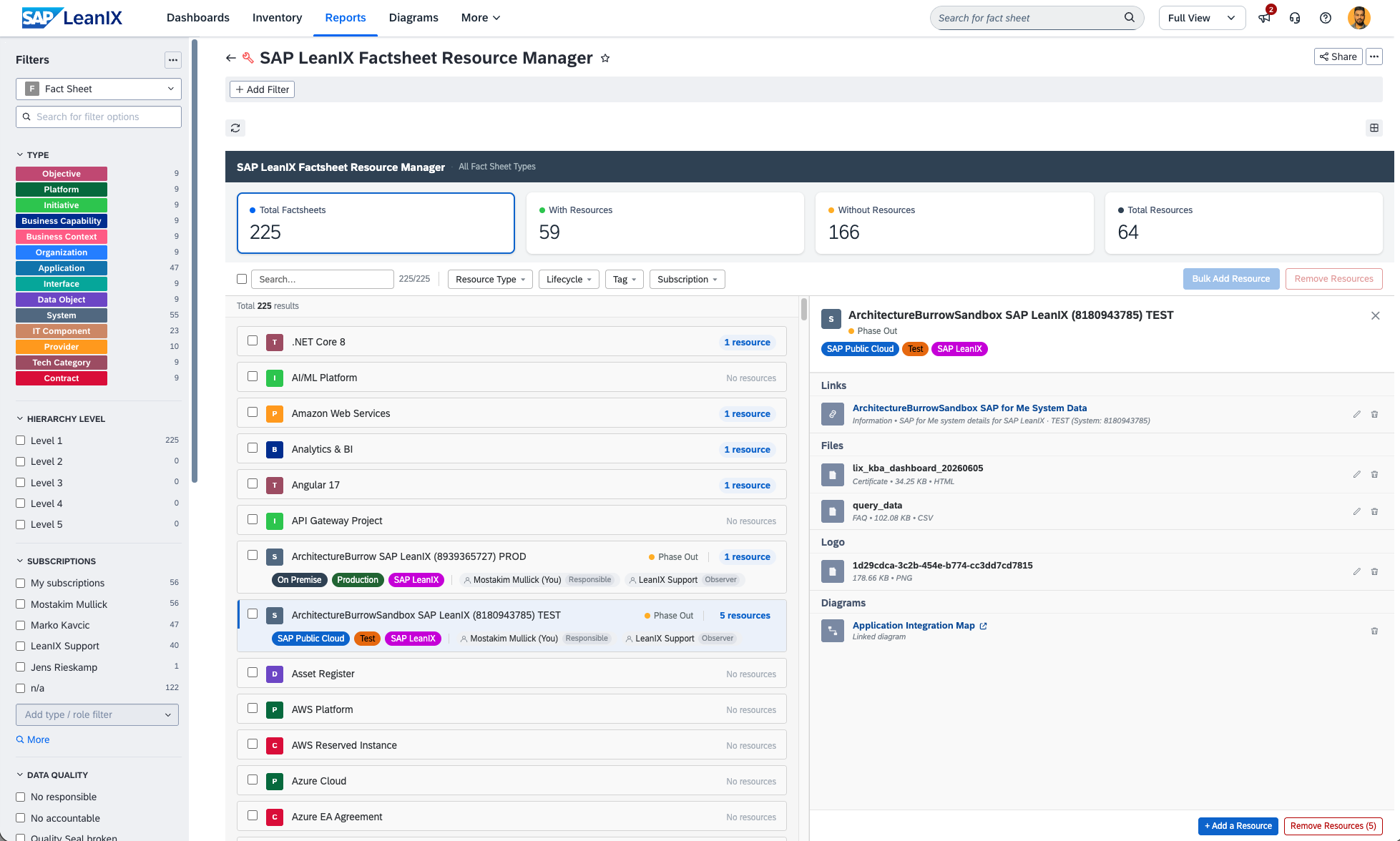
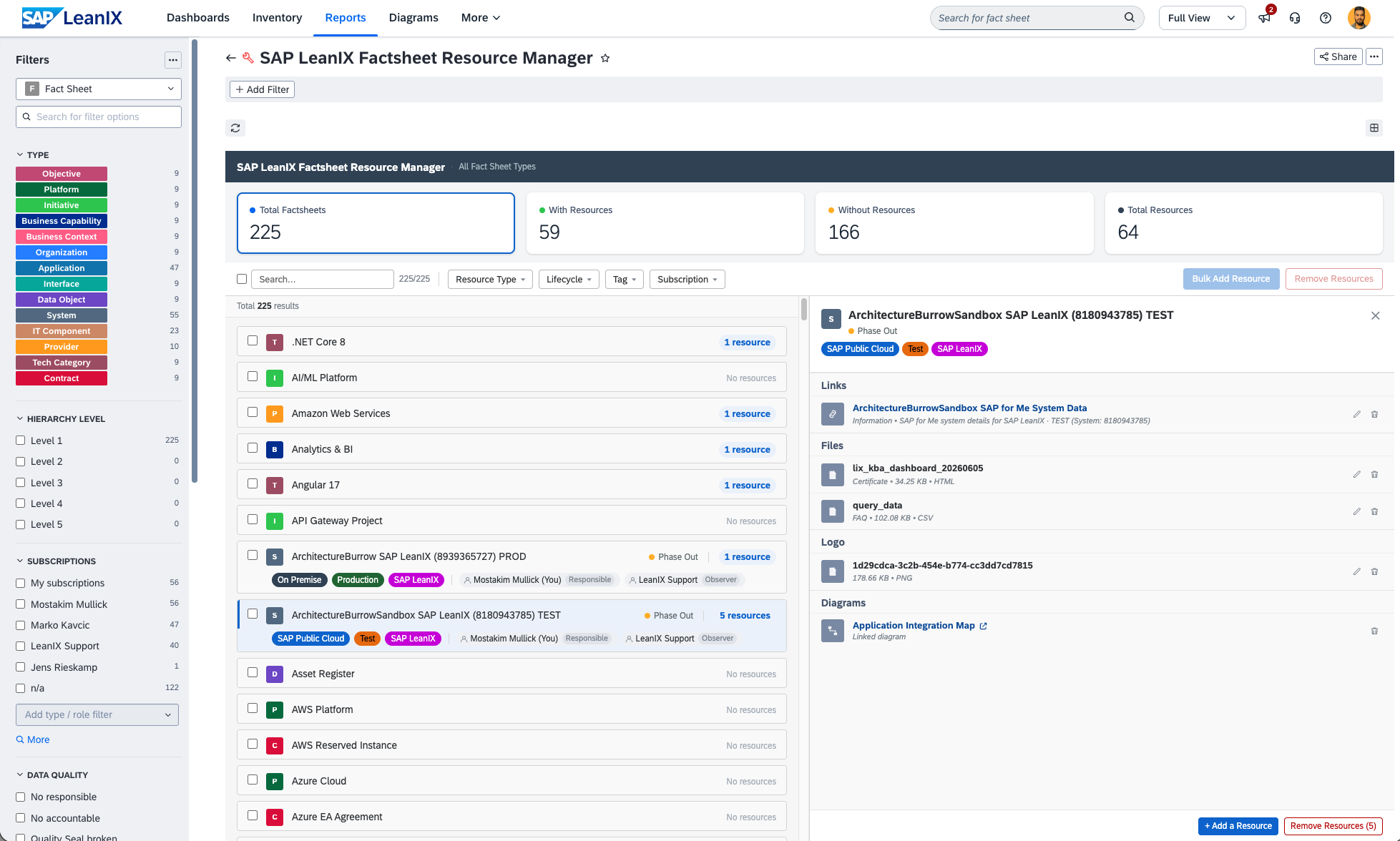
The SAP LeanIX Factsheet Resource Manager gives you a central inbox-style view of all resources and architecture decisions attached to your fact sheets. Manage links, files, logos, diagrams, and architecture decisions fact sheet by fact sheet from the side panel, or select multiple fact sheets and act on all of them at once. Bulk add the same resource to hundreds of fact sheets in one click, or bulk remove all resources and linked decisions during a cleanup or migration. Filter by resource type (including Architecture Decision), lifecycle, tag, subscription, or a specific decision to find exactly what you need. For system fact sheets, an SAP for Me link is suggested automatically based on the system number.
Details
- Open the report from the Reports section in your workspace.
- Use the left-panel filters to narrow down fact sheets by type, lifecycle, tag, subscription, or architecture decision.
- Click any fact sheet to open its detail panel and manage resources individually.
- To link an architecture decision: open the side panel, click "+ Add a Resource", go to the "Architecture Decision" tab. Note: architecture decisions must be created first from More > Architecture Decisions before they can be linked here.
- To act on multiple fact sheets, select them using the checkboxes and use "Bulk Add Resource" or "Remove Resources".
- Use the "Decision" filter in the toolbar to show only fact sheets linked to a specific architecture decision.
- SAP LeanIX workspace (any edition)
- Admin or write access to the workspace
- Architecture decisions must be created before linking - navigate to More > Architecture Decisions to create them
Disclaimer
This report is provided for informational and productivity purposes only. It performs write operations (adding and removing resources) directly on your SAP LeanIX workspace data. Users are responsible for verifying selections before confirming bulk actions. The author accepts no liability for unintended data changes resulting from use of this report. Also this report dynamically queries your workspace on load. In workspaces with a large number of fact sheets, initial loading may take a few moments.