Subscription Manager (CE)
Add to
Sign In
Use Your LeanIX Workspace
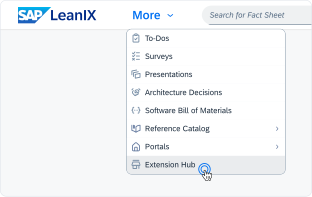
Click 'More' in the main navigation, then select 'Extension Hub'.
You will be signed in automatically.
Change Log
No version history available.
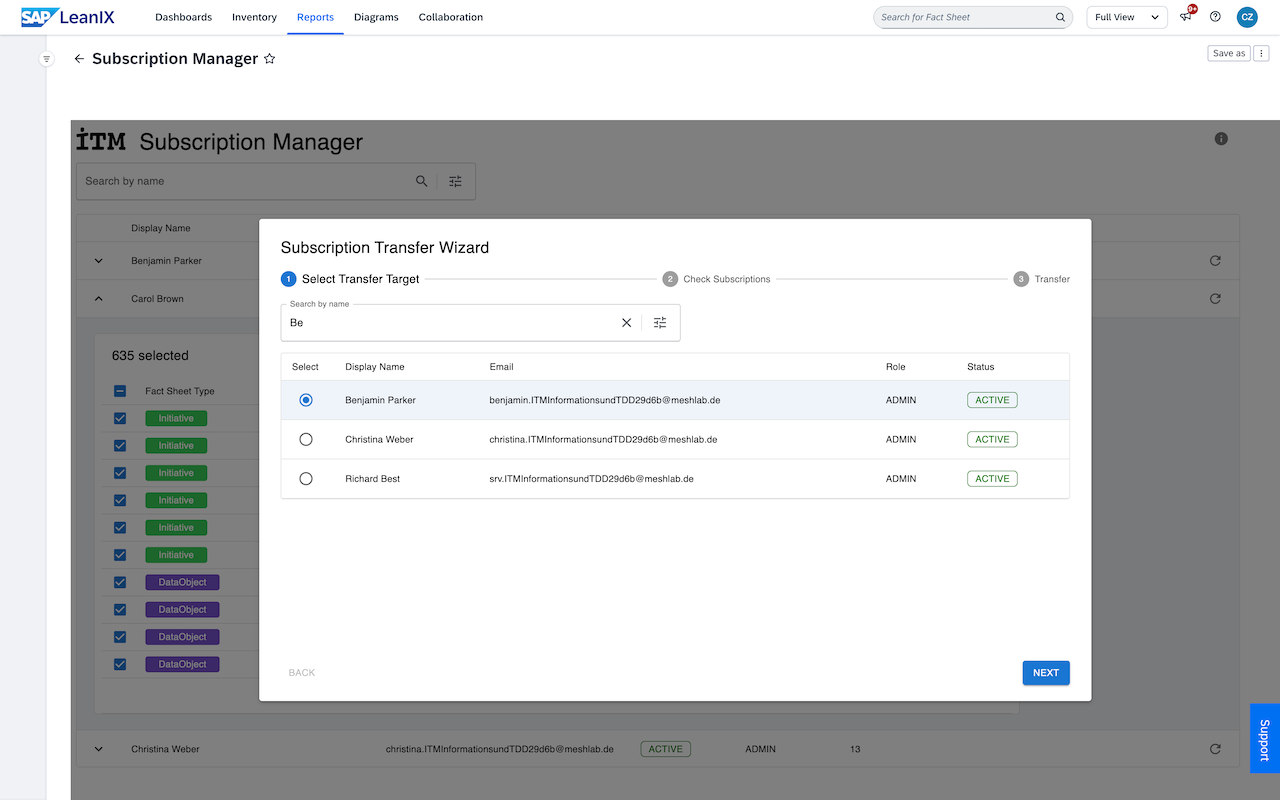
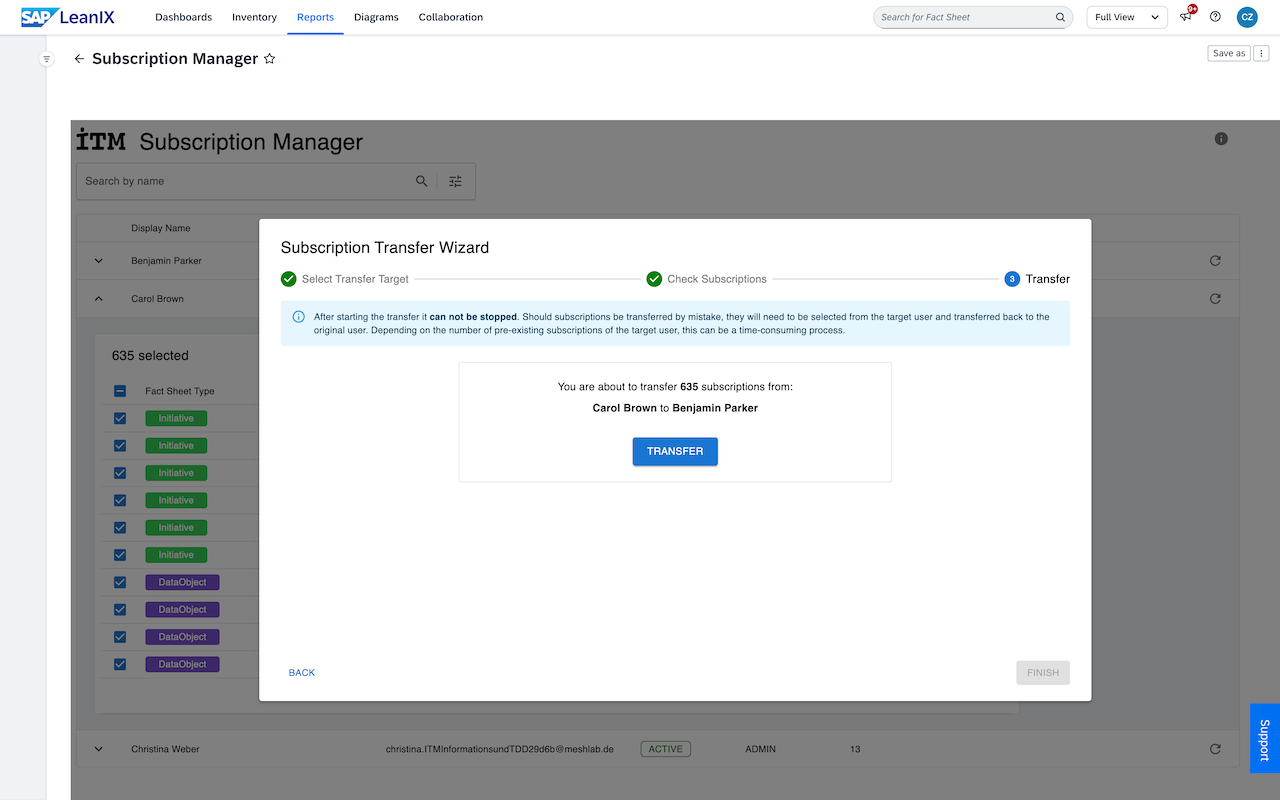
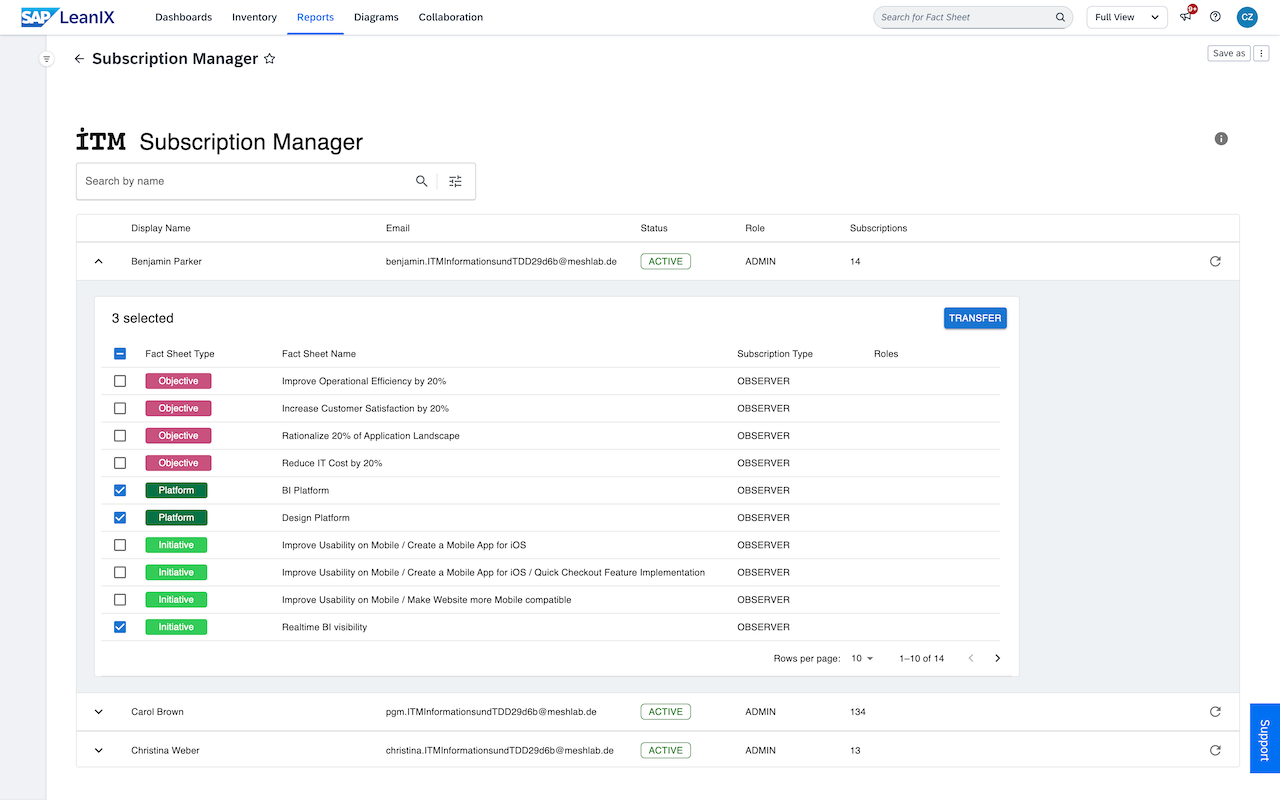
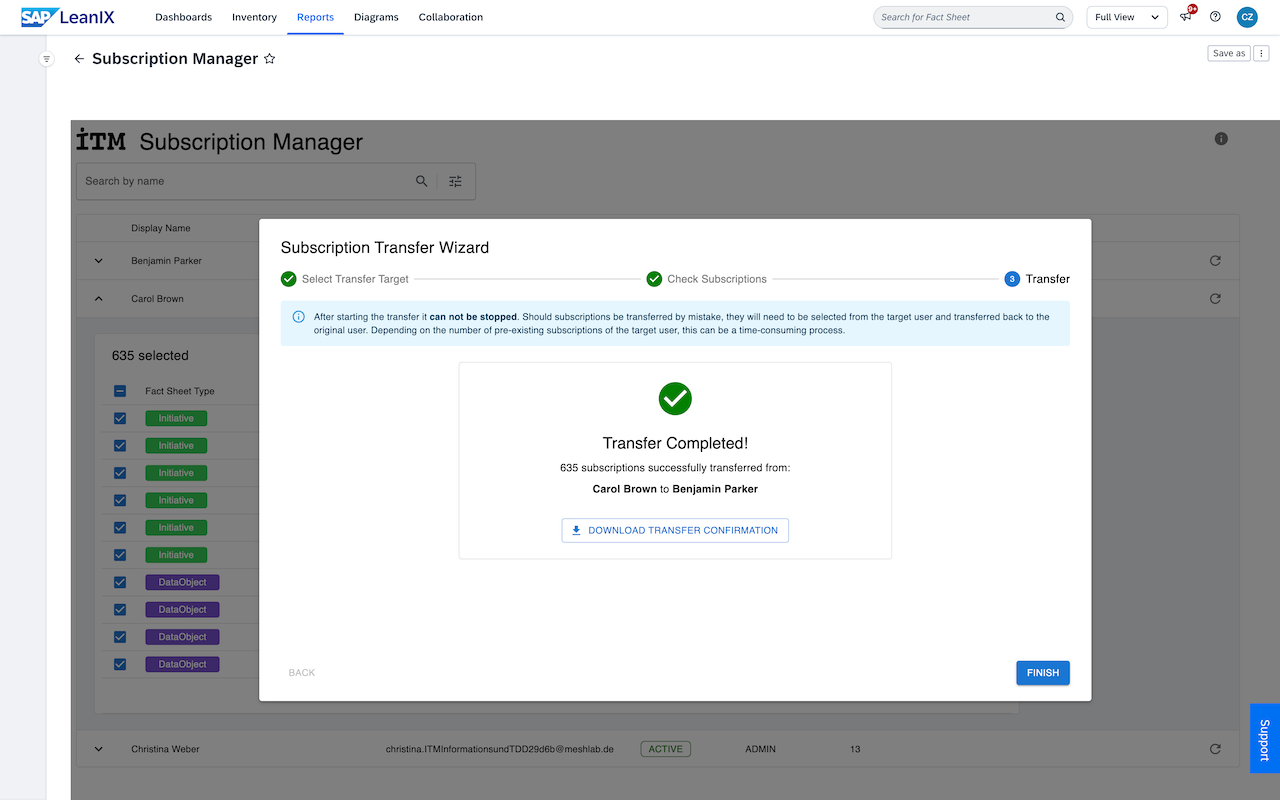
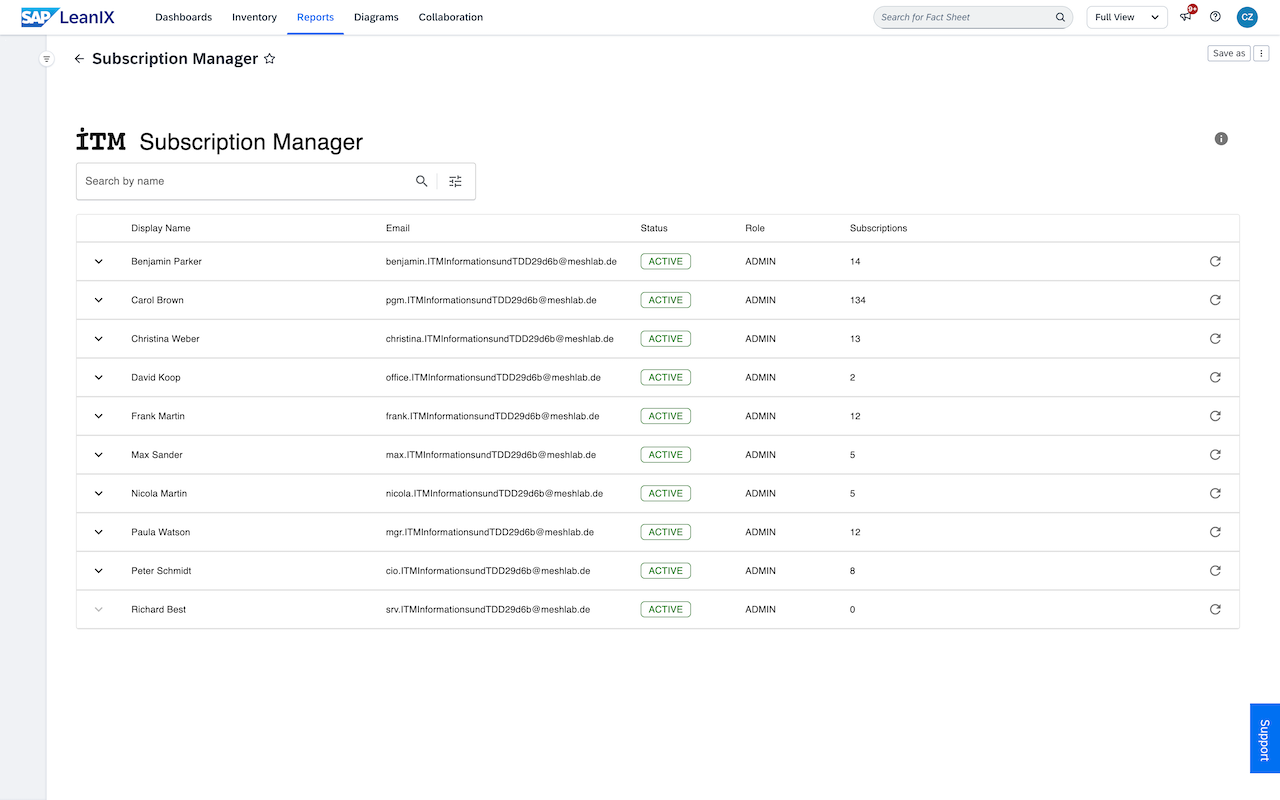
The Subscription Manager (CE) supports user lifecycle management by providing workspace administrators with a quick and intuitive way to manage user subscriptions. The community edition of the report enables admins to search for specific users, review their current subscriptions, and transfer up to 10 subscriptions at a time. This report uses GraphQL mutations to move the selected subscriptions, modifying data in your workspace.
Details
Add to Workspace
- Click the Add to Workspace button in the LeanIX Store.
- Follow the on-screen instructions to install the Subscription Manager (CE) into your workspace.
Set Report Visibility
- Navigate to the Workspace Administration area.
- Select the Reports tab.
- Set the Subscription Manager (CE) report to visible so that it appears in the reports list.
Find and Transfer Subscriptions
- Go to your reports and open the Subscription Manager (CE)
- Search for a user and view their subscriptions.
- Select up to 10 subscriptions and click the transfer button.
- Follow the steps in the transfer wizard to transfer the selected subscriptions.
Users require admin permissions to use this report. No specific workspace configurations or attributes are required for this report to function.
Disclaimer
This extension is provided by ITM Beratungsgesellschaft mbH (ITM Consulting) as is, without any warranties, express or implied. ITM Beratungsgesellschaft mbH cannot be held liable or responsible for any direct or indirect damages arising from its use, including accidental or unintended subscription transfers, except what is in compliance with the SAP LeanIX Store Terms and Conditions. Users should exercise caution and confirm subscription transfers carefully before finalizing any actions.
This custom report has been tested with standard SAP LeanIX workspace configurations. It is recommended that users test the extension thoroughly in a non-production environment before using it in a production workspace.