Gartner TIME Assessment
Add to
Sign In
Use Your LeanIX Workspace
Click 'More' in the main navigation, then select 'Extension Hub'.
You will be signed in automatically.

Change Log
No version history available.
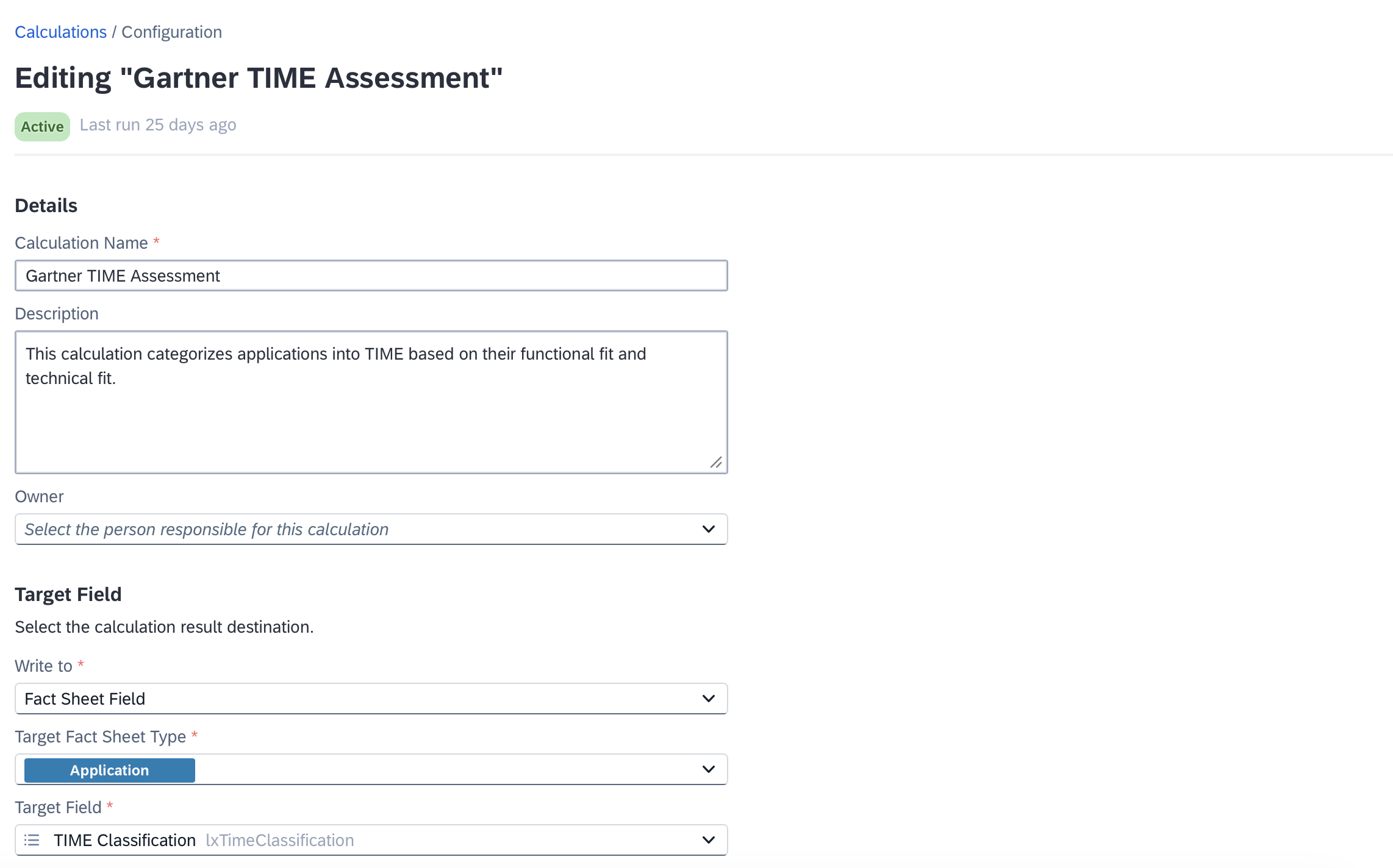
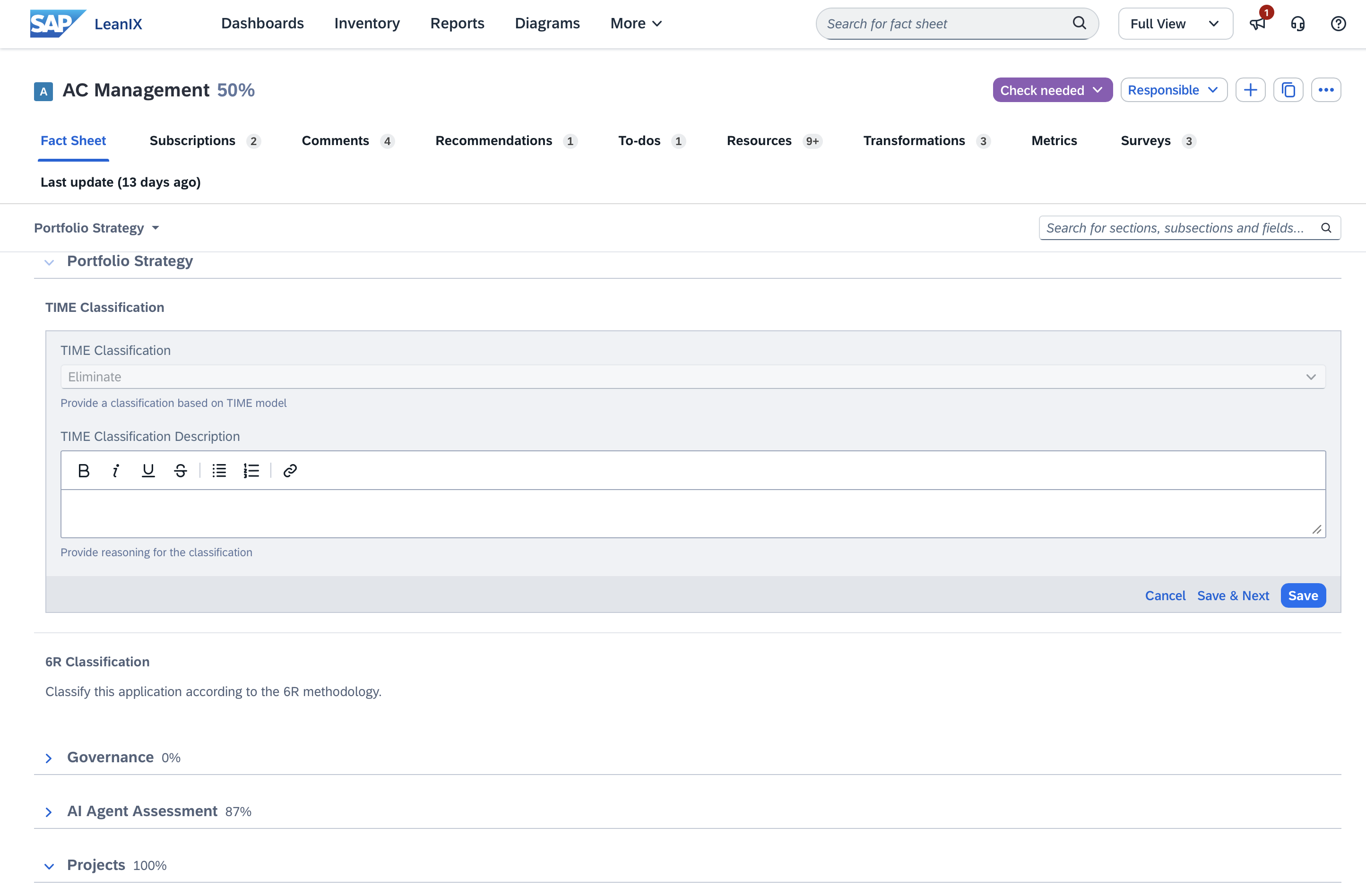
Gartner TIME is a widely used framework for rationalizing an application portfolio. TIME stands for Tolerate, Invest, Migrate, and Eliminate — four categories that help organizations make deliberate decisions about each application based on its business and technical value.
This extension automates the TIME classification for Applications in your LeanIX workspace. It uses each application's Technical Fit and Functional Fit to write the resulting TIME category directly to the Time Classification field, keeping your assessment up-to-date with less manual effort.
Details
The Gartner TIME model categorizes applications along two dimensions:
- Technical Fit — how well the application's technology meets current and future requirements (values: Fully Appropriate, Adequate, Inappropriate, Unreasonable)
- Functional Fit — how well the application meets the business needs it is intended to serve (values: Perfect, Appropriate, Insufficient, Unreasonable)
The combination of these two dimensions determines the TIME category:
- Invest — Technical Fit is Fully Appropriate or Adequate, and Functional Fit is Appropriate or Perfect
- Tolerate — Technical Fit is Fully Appropriate or Adequate, and Functional Fit is Insufficient or Unreasonable
- Migrate — Technical Fit is Inappropriate or Unreasonable, and Functional Fit is Appropriate or Perfect
- Eliminate — Technical Fit is Inappropriate or Unreasonable, and Functional Fit is Insufficient or Unreasonable
If either field is unset, no classification is written.
This extension requires the fields provided by the Portfolio Strategy extension to be installed in your workspace. Specifically, the following fields must be present on the Application fact sheet:
- Time Classification (lxTimeClassification): Tolerate, Invest, Migrate, Eliminate
- Technical Fit (technicalSuitability): Fully Appropriate, Adequate, Inappropriate, Unreasonable
- Functional Fit (functionalSuitability): Perfect, Appropriate, Insufficient, Unreasonable
The calculation runs automatically whenever Technical Fit or Functional Fit changes on an Application fact sheet. No manual trigger is needed.
The logic is:
export function main() {
    if (data.technicalSuitability === 'fullyAppropriate' || data.technicalSuitability === 'adequate') {
        if (data.functionalSuitability === 'unreasonable' || data.functionalSuitability === 'insufficient') {
            return 'Tolerate'
        }
        if (data.functionalSuitability === 'appropriate' || data.functionalSuitability === 'perfect') {
            return 'Invest'
        }
    }
    if (data.technicalSuitability === 'unreasonable' || data.technicalSuitability === 'inappropriate') {
        if (data.functionalSuitability === 'unreasonable' || data.functionalSuitability === 'insufficient') {
            return 'Eliminate'
        }
        if (data.functionalSuitability === 'appropriate' || data.functionalSuitability === 'perfect') {
            return 'Migrate'
        }
    }
    return null
}