Obsolescence Risk Report (Applications & underlying IT Component)
Add to
Sign In
Use Your LeanIX Workspace
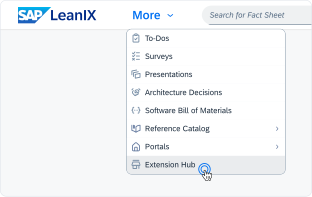
Click 'More' in the main navigation, then select 'Extension Hub'.
You will be signed in automatically.
Change Log
No version history available.
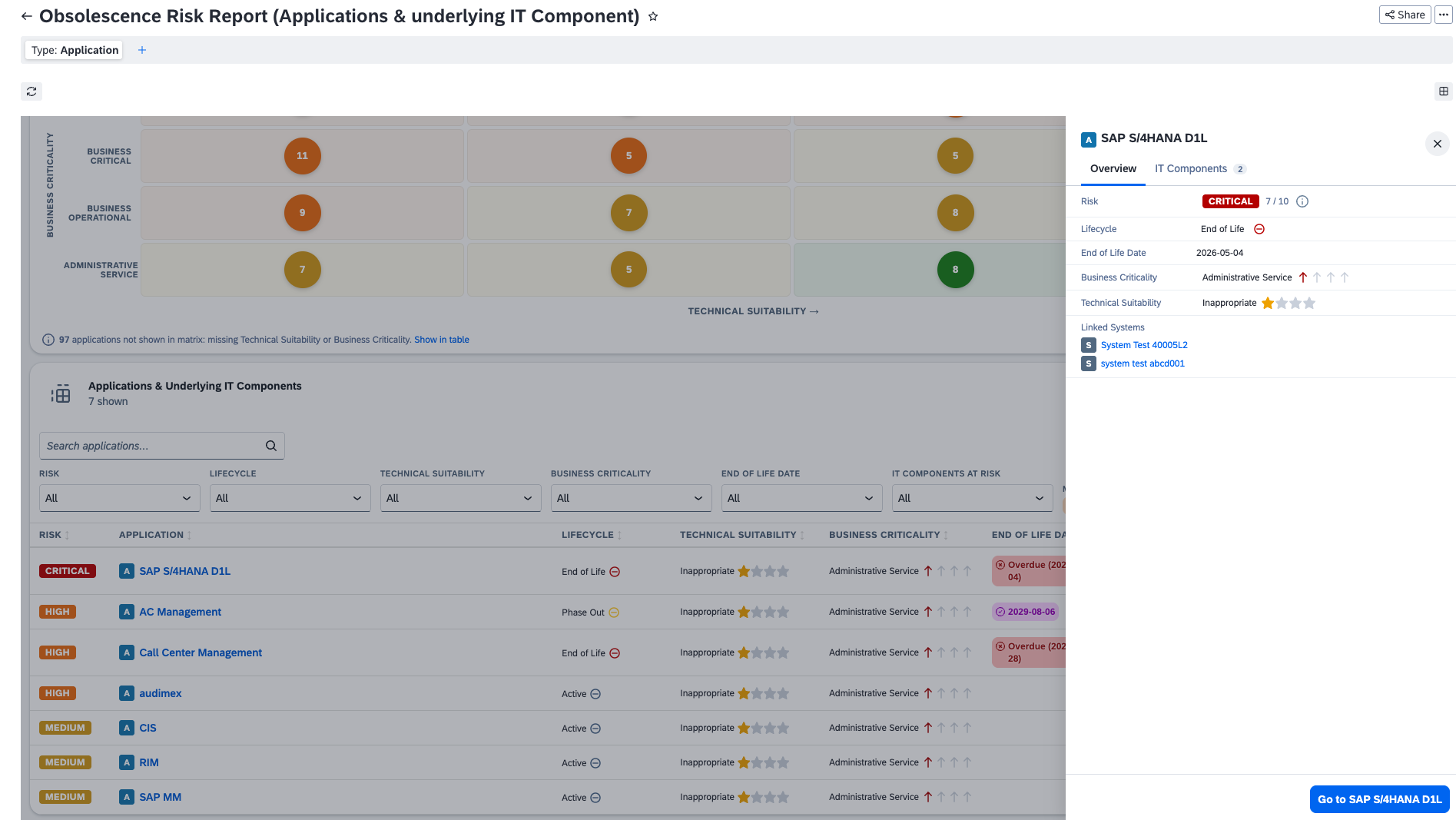
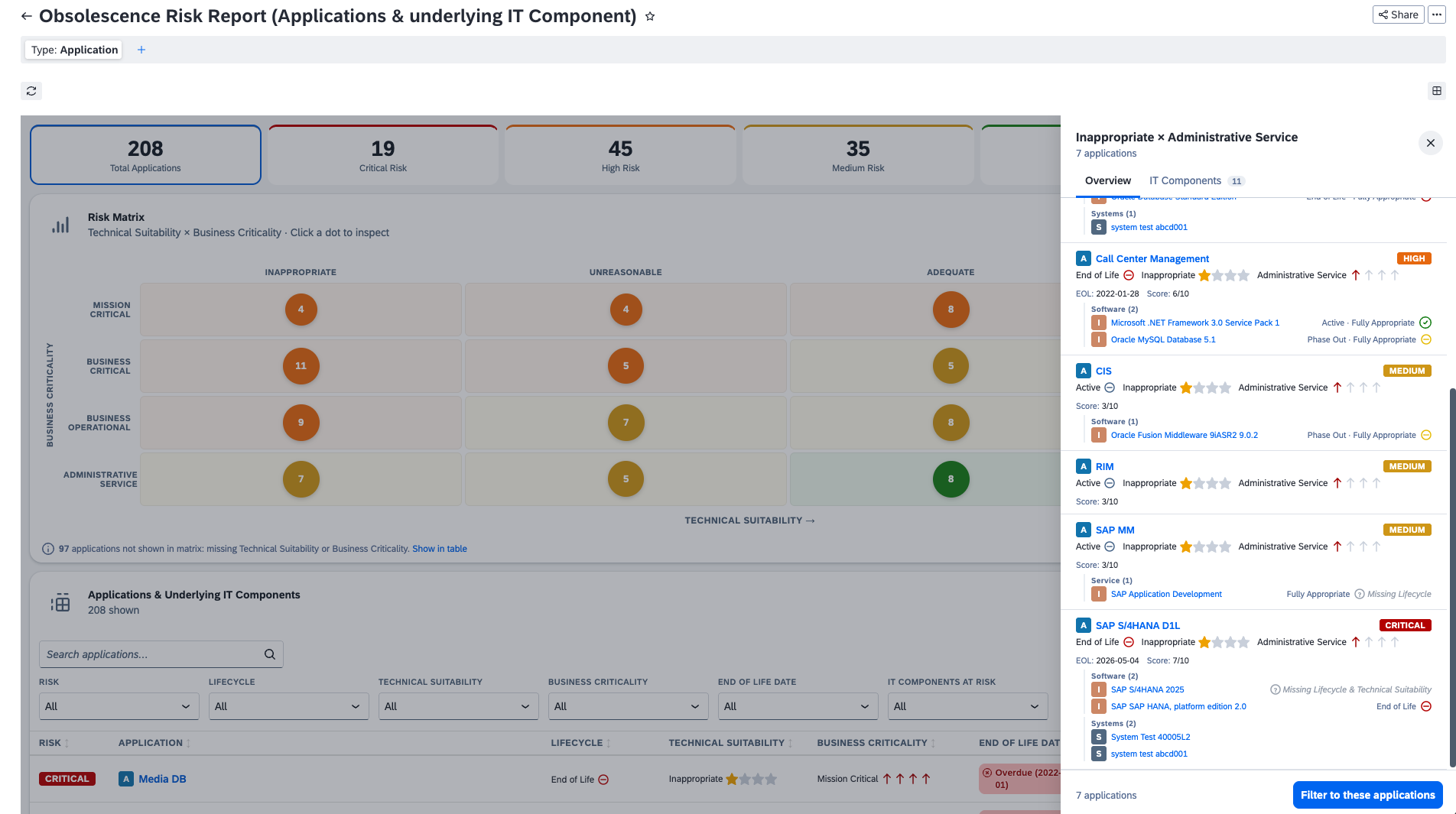
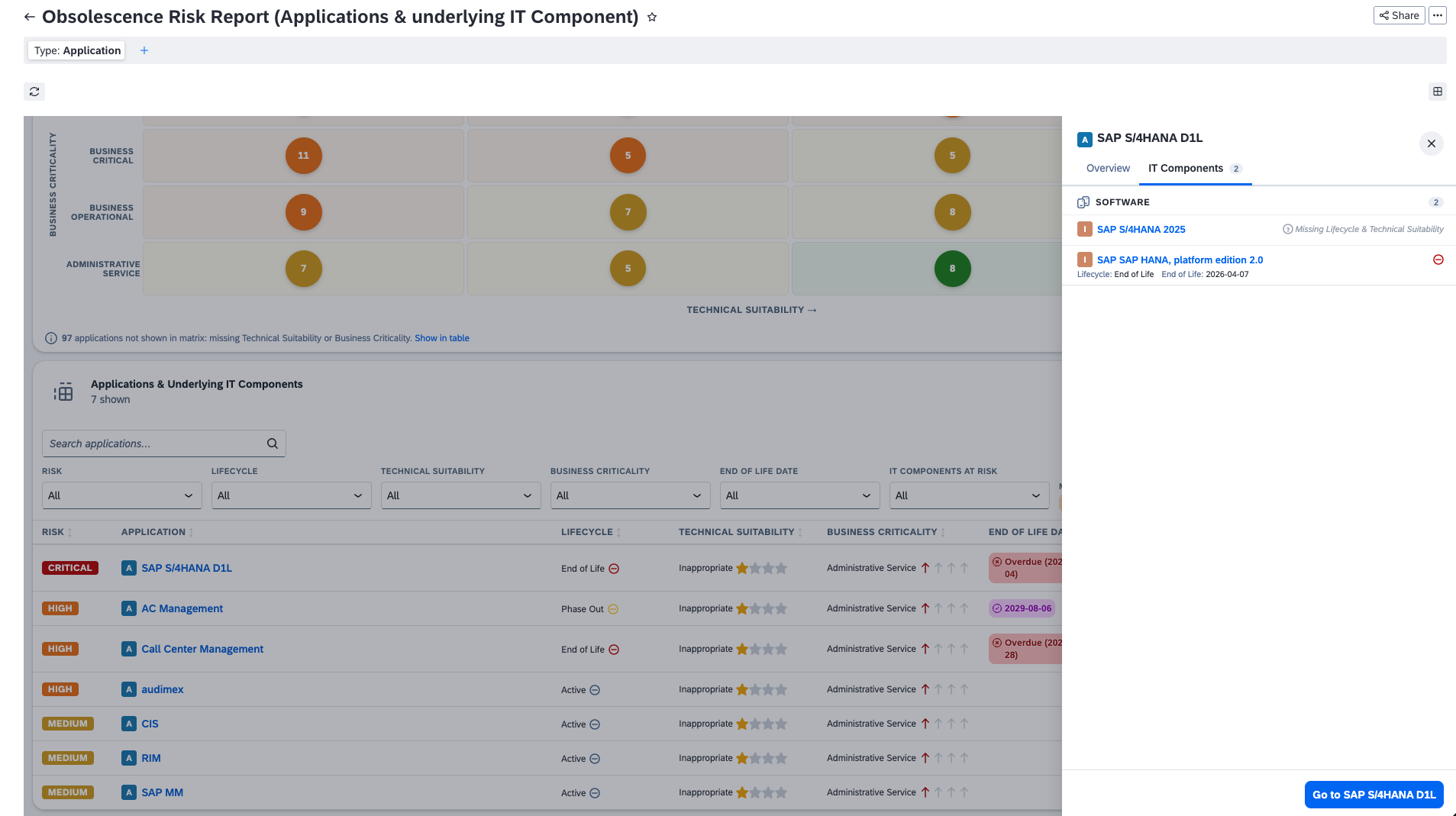
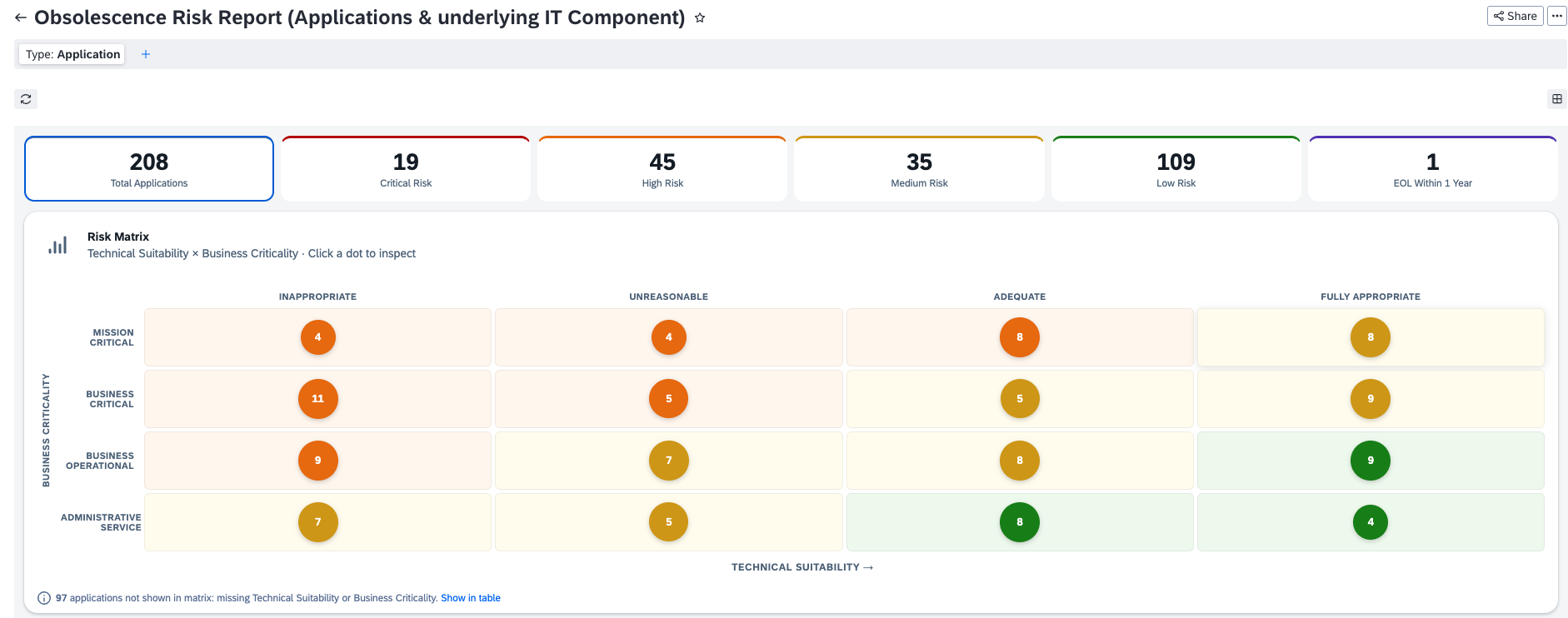
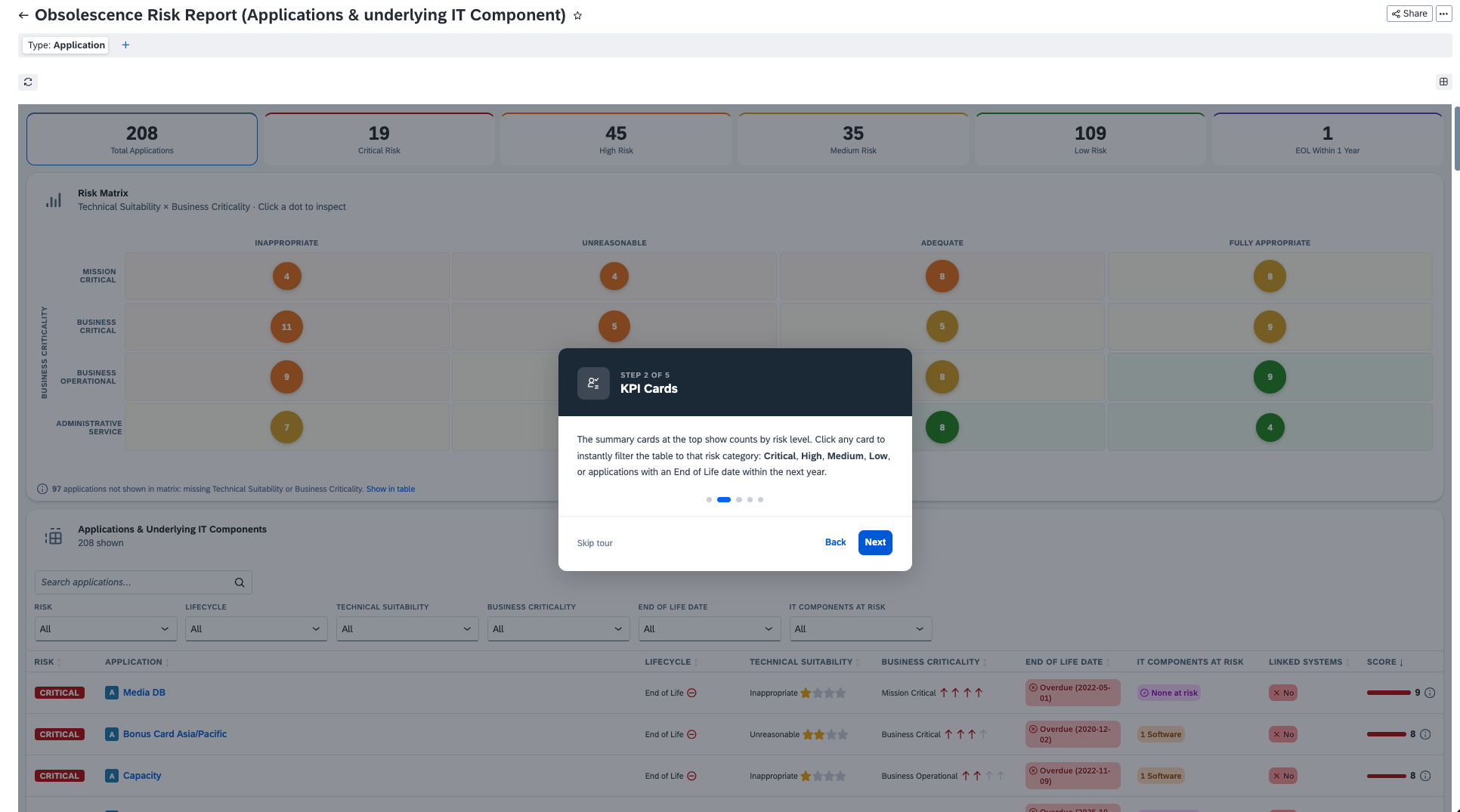
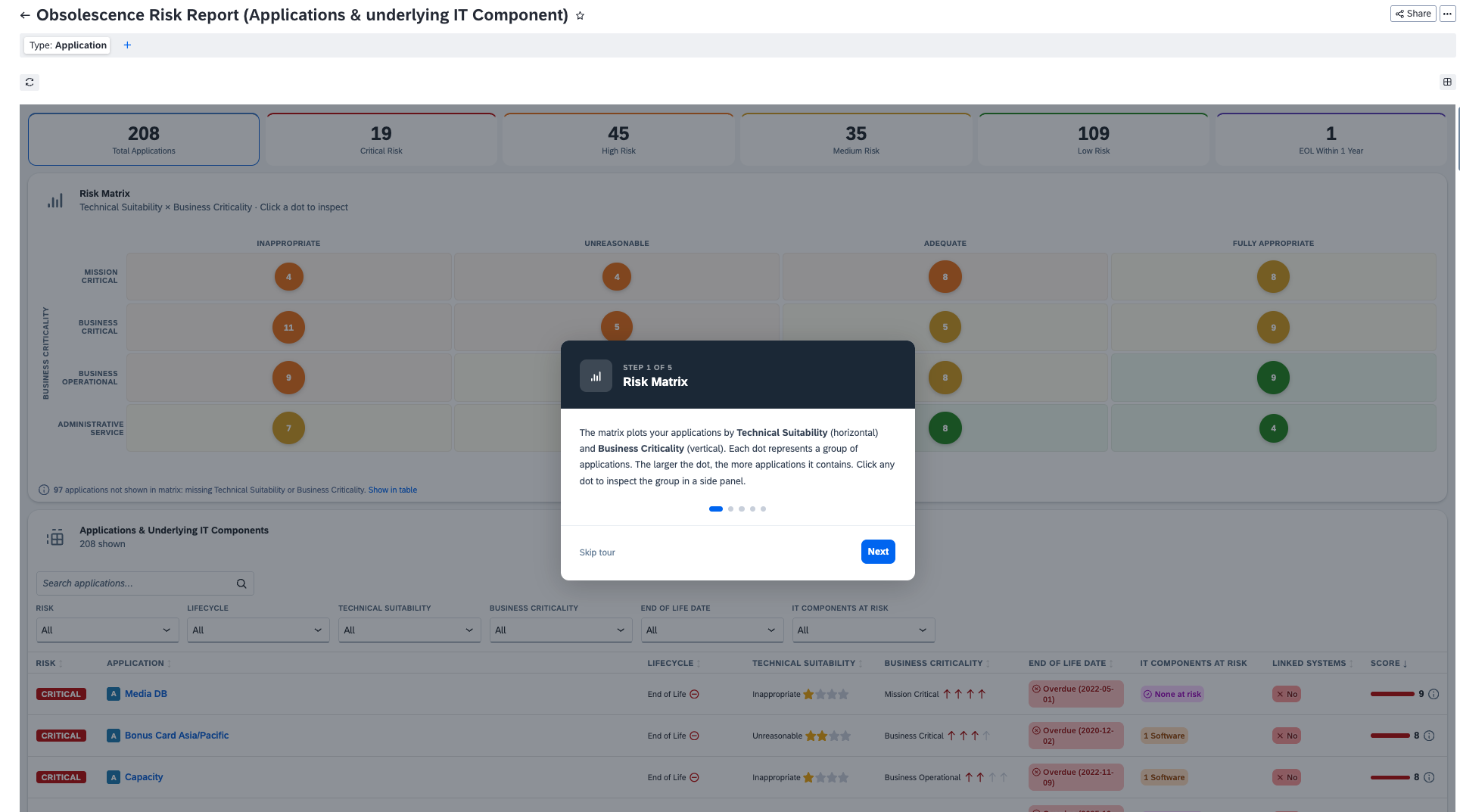
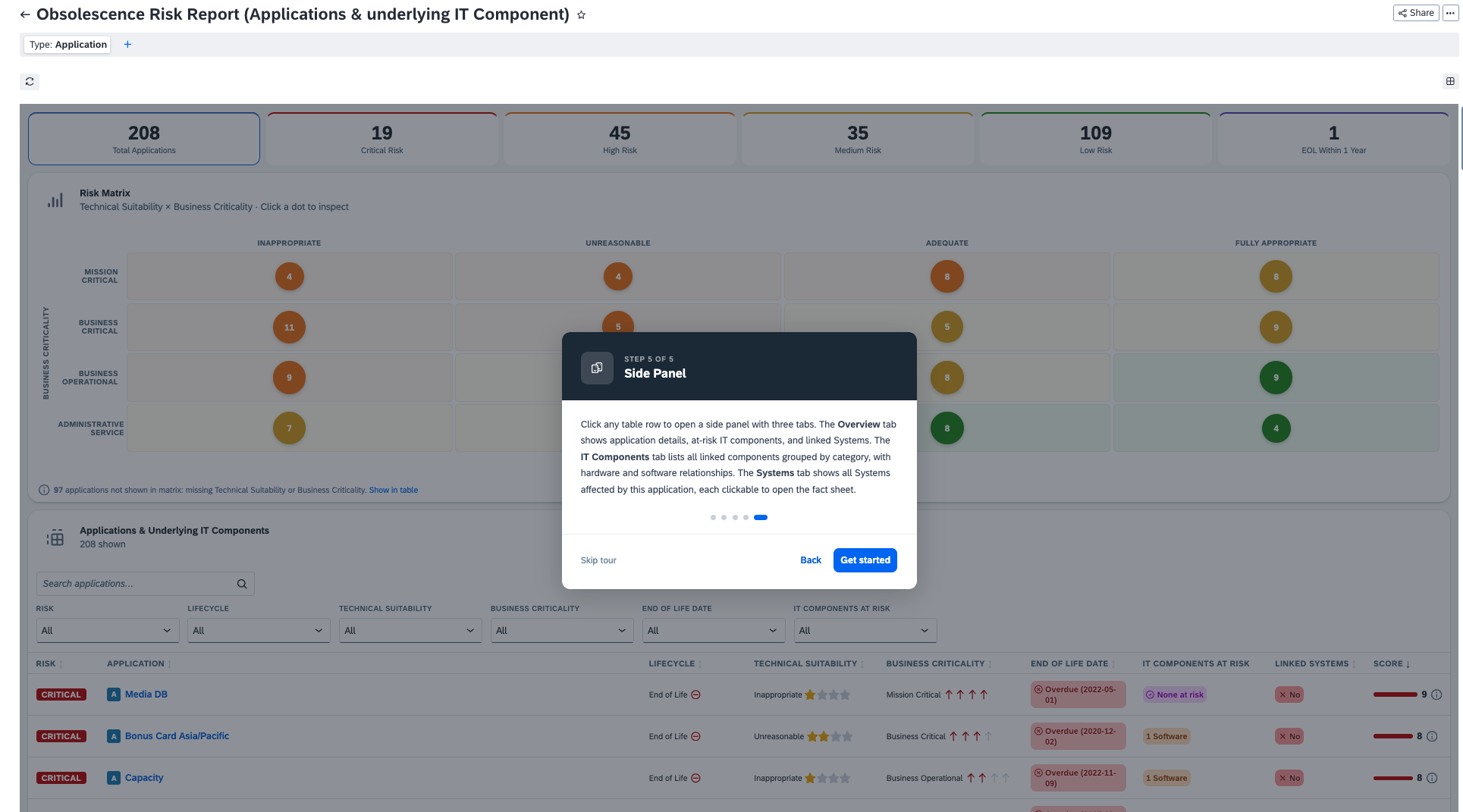
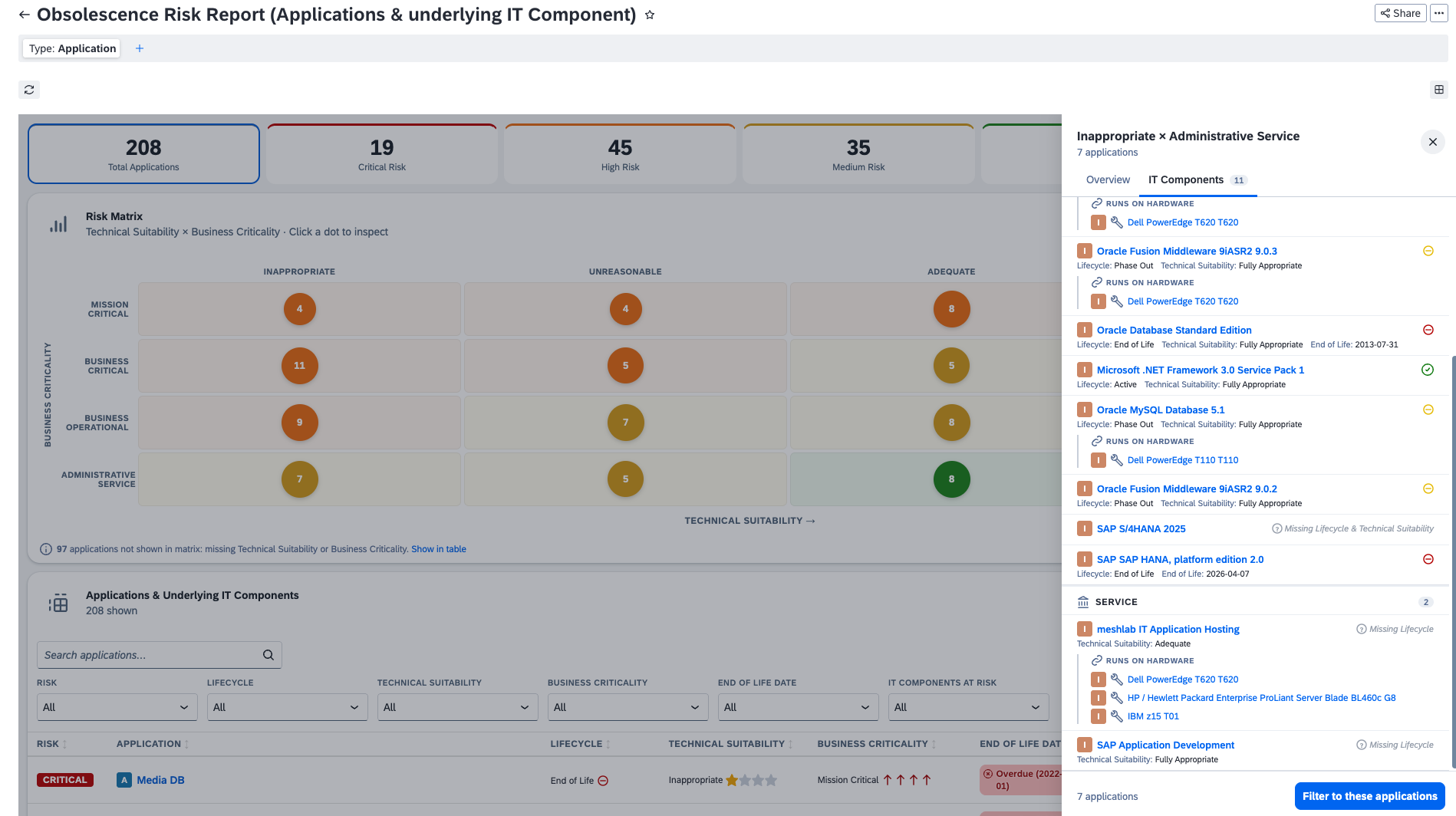
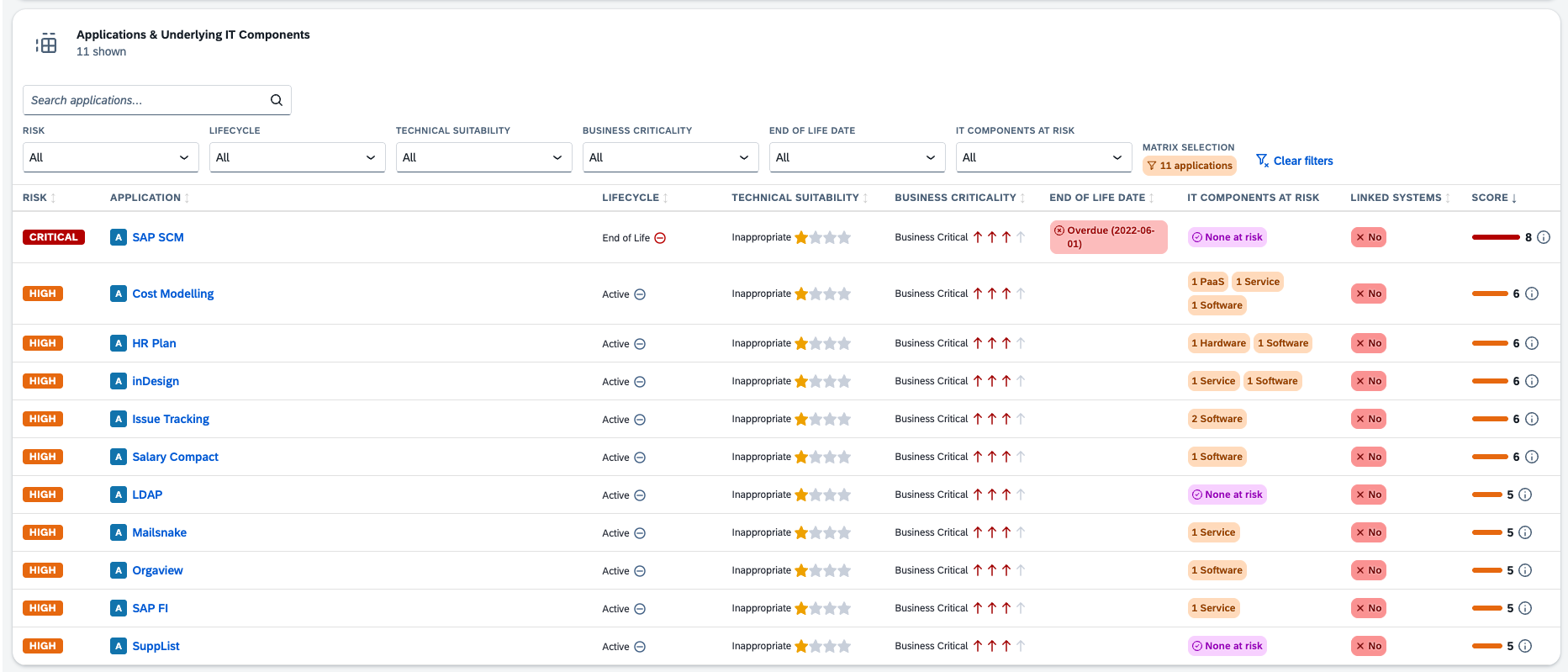
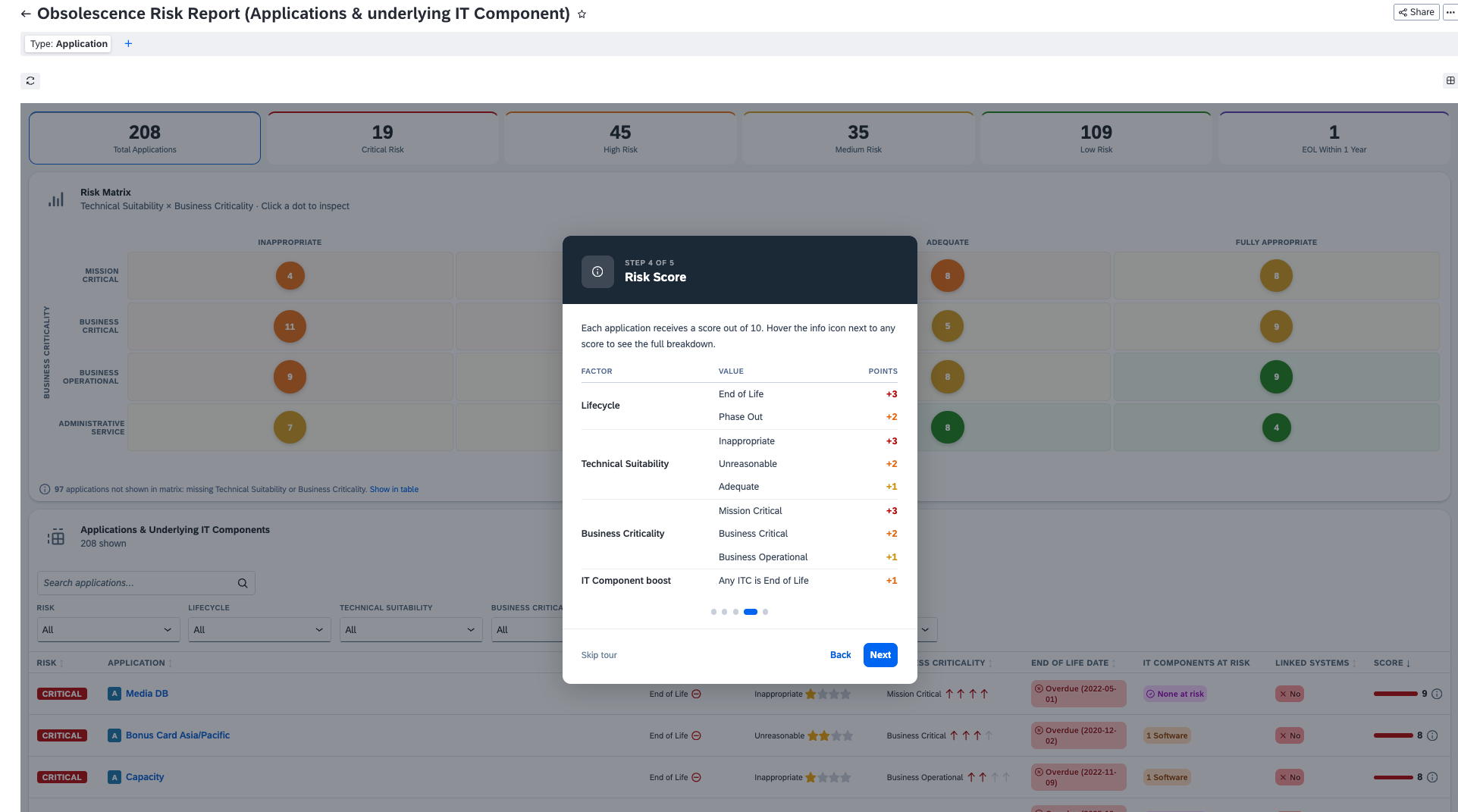
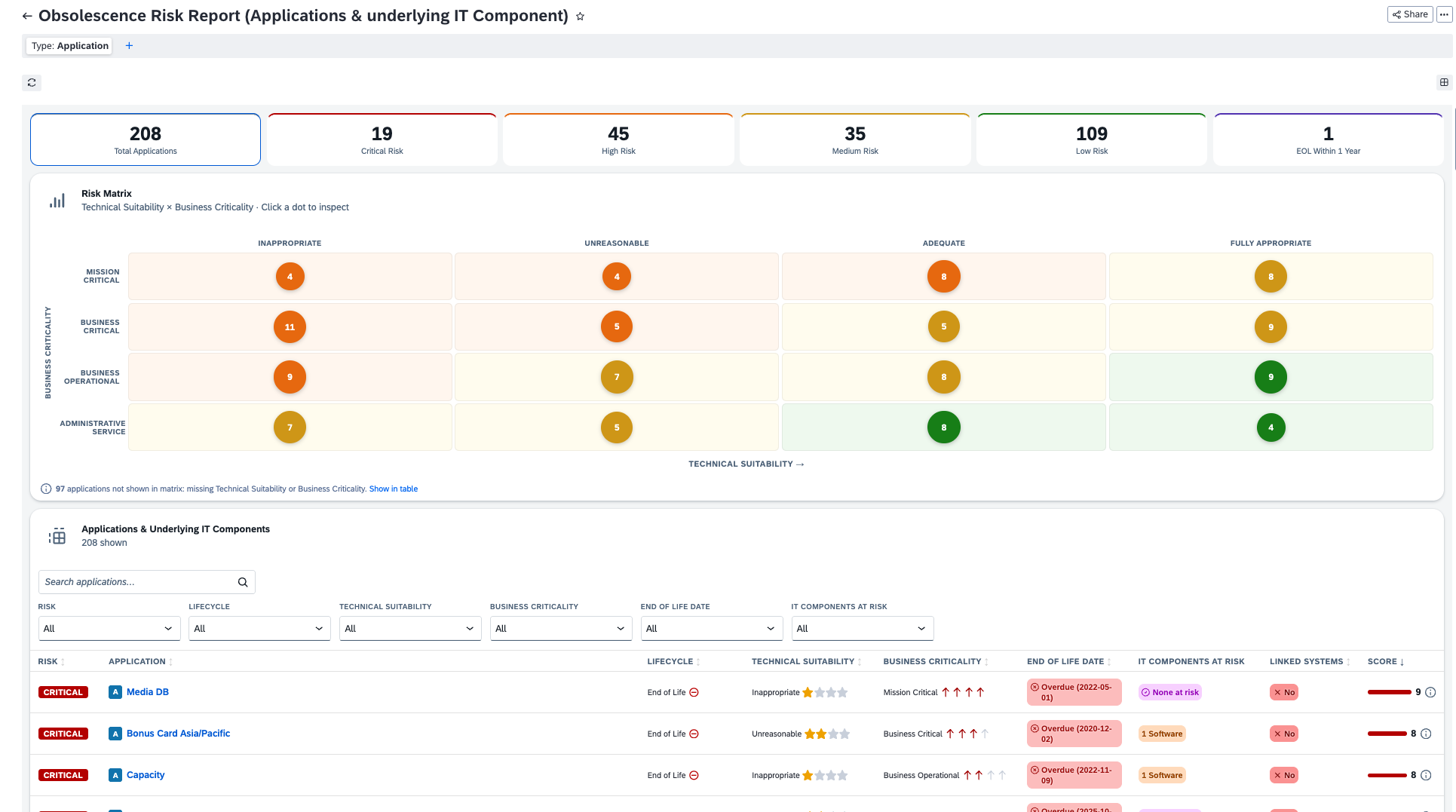
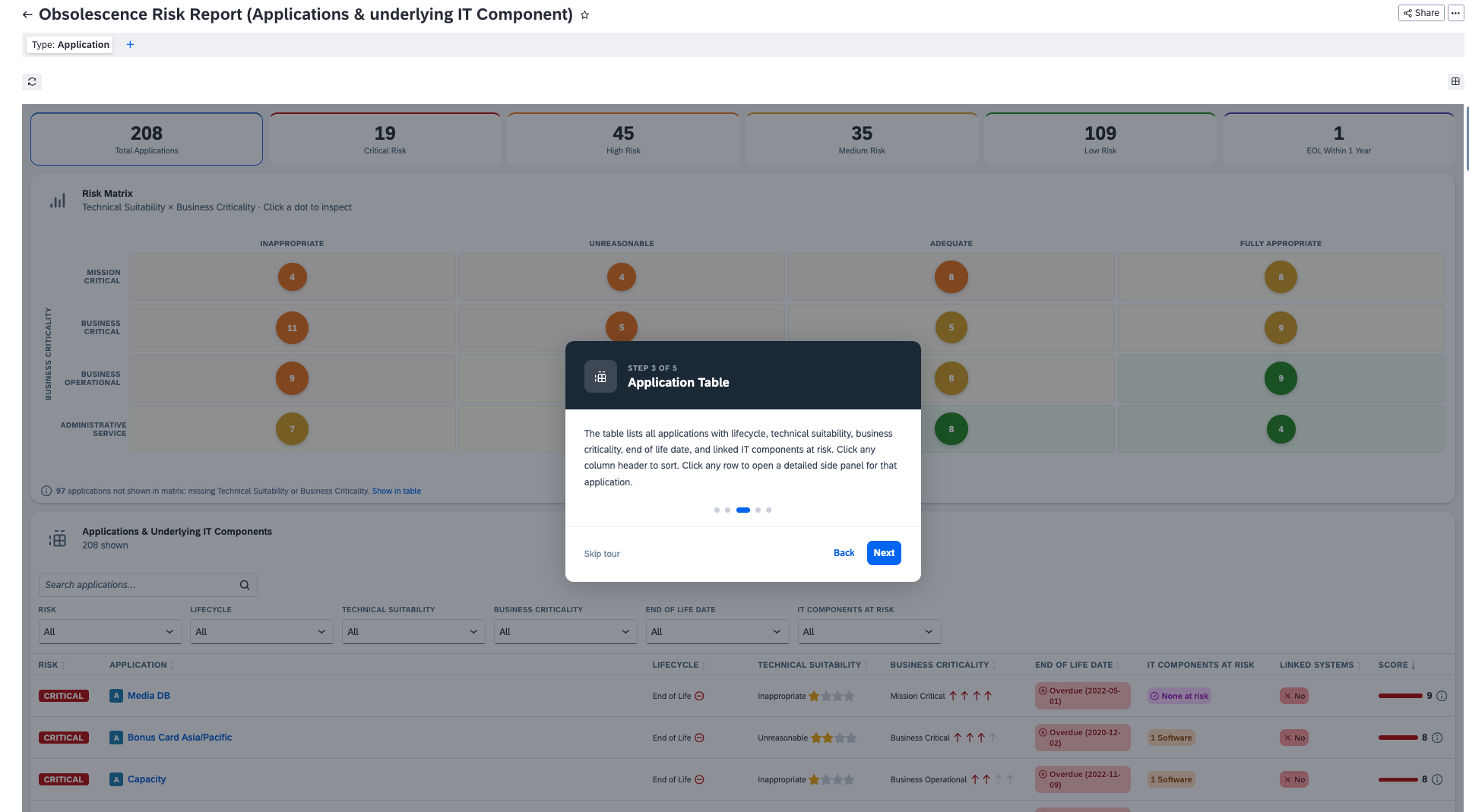
This report gives Enterprise Architects and Portfolio Managers a complete view of application obsolescence risk across the portfolio. It combines lifecycle phase, technical suitability, business criticality, and the risk status of underlying IT Components and Systems into a single 0-10 risk score per application. The report presents three views: a KPI strip with filterable risk counts, a 4x4 risk matrix plotting Technical Suitability against Business Criticality, and a sortable application table with inline indicators. Clicking any matrix dot or table row opens a side panel showing full application details, linked IT Components grouped by subtype (Hardware, Software, SaaS, PaaS, IaaS, Service) with their lifecycle and technical suitability, and linked Systems. IT Component risk is surfaced at the application level, including upstream hardware dependencies fetched via relToRequires.
Details
- Open the report from the LeanIX Reports section.
- Use the KPI tiles at the top to filter by risk level (Critical, High, Medium, Low, or EOL Within 1 Year).
- Click any dot in the Risk Matrix to inspect the applications in that Technical Suitability x Business Criticality cell.
- Use the filter dropdowns in the table to narrow by Lifecycle, Technical Suitability, Business Criticality, EOL Date, or IT Component risk status.
- Click any application row to open the side panel. Use the Overview tab for lifecycle and score details, and the IT Components tab to inspect underlying hardware, software, and services.
- Hover the hint icon next to any score to see the full score breakdown.
- LeanIX workspace with Application fact sheets configured.
- Applications should have Lifecycle, Technical Suitability, and Business Criticality fields populated for accurate scoring.
- IT Components linked to applications via relApplicationToITComponent with Lifecycle and Technical Suitability set.
- Systems linked via relApplicationToLxSystemSystem (optional, shown in side panel).
- LeanIX Custom Reports feature enabled in the workspace.
Disclaimer
This report is provided as a LeanIX Custom Report for portfolio analysis purposes. Risk scores are calculated based on data available in the LeanIX workspace at the time of viewing. Scores and indicators reflect the current state of fact sheet data and should be used as a decision-support tool, not as a definitive risk assessment. Ensure fact sheet data is kept up to date for accurate results.