Workspace Best Practice Report
Add to
Sign In
Use Your LeanIX Workspace
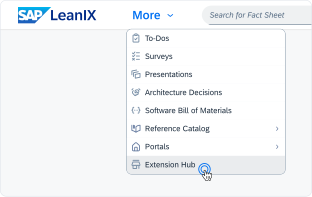
Click 'More' in the main navigation, then select 'Extension Hub'.
You will be signed in automatically.
Change Log
No version history available.
The Workspace Best Practice Report helps to enhance the performance of your workspace by driving optimised data quality. A sophisticated Data Quality in your workspace eases the navigation (especially for non-key Users), makes reports work more impactful and improves the usability of LeanIX features such as Tagging, Dashboards and others.
Details
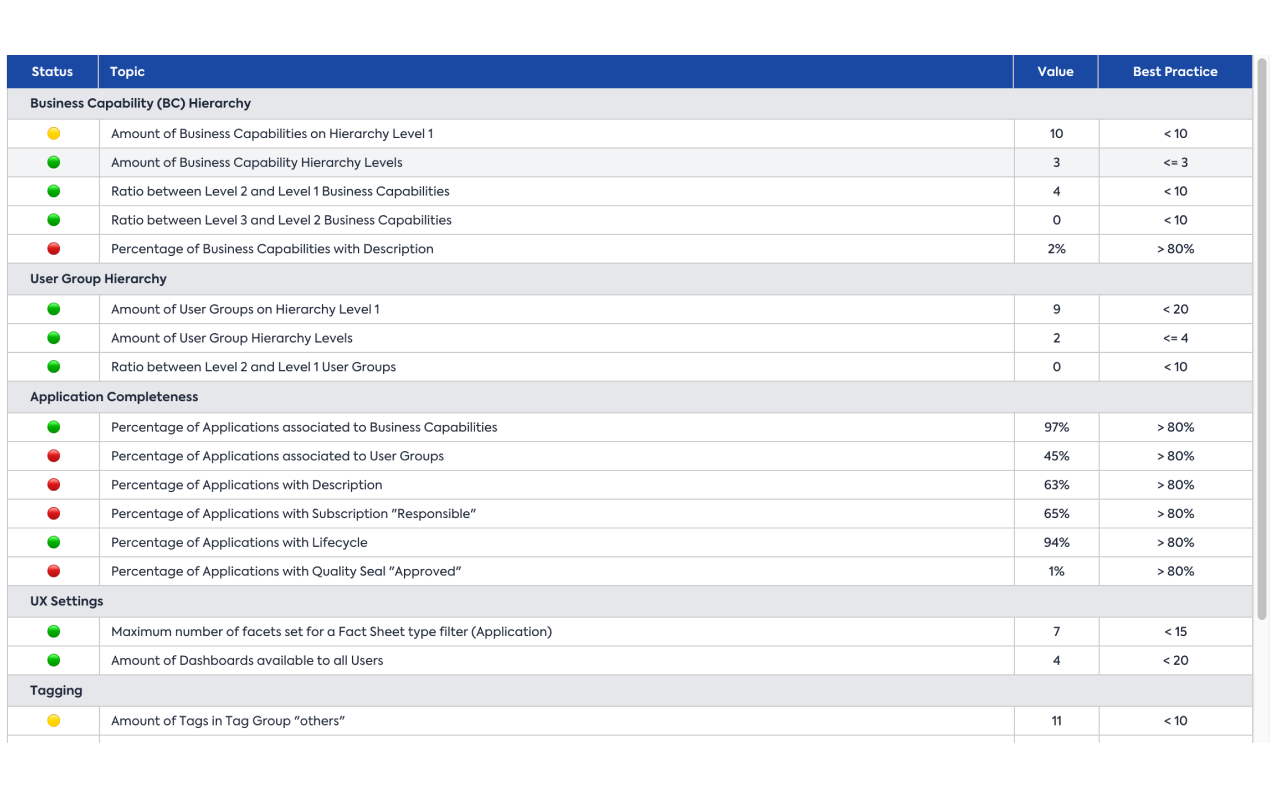
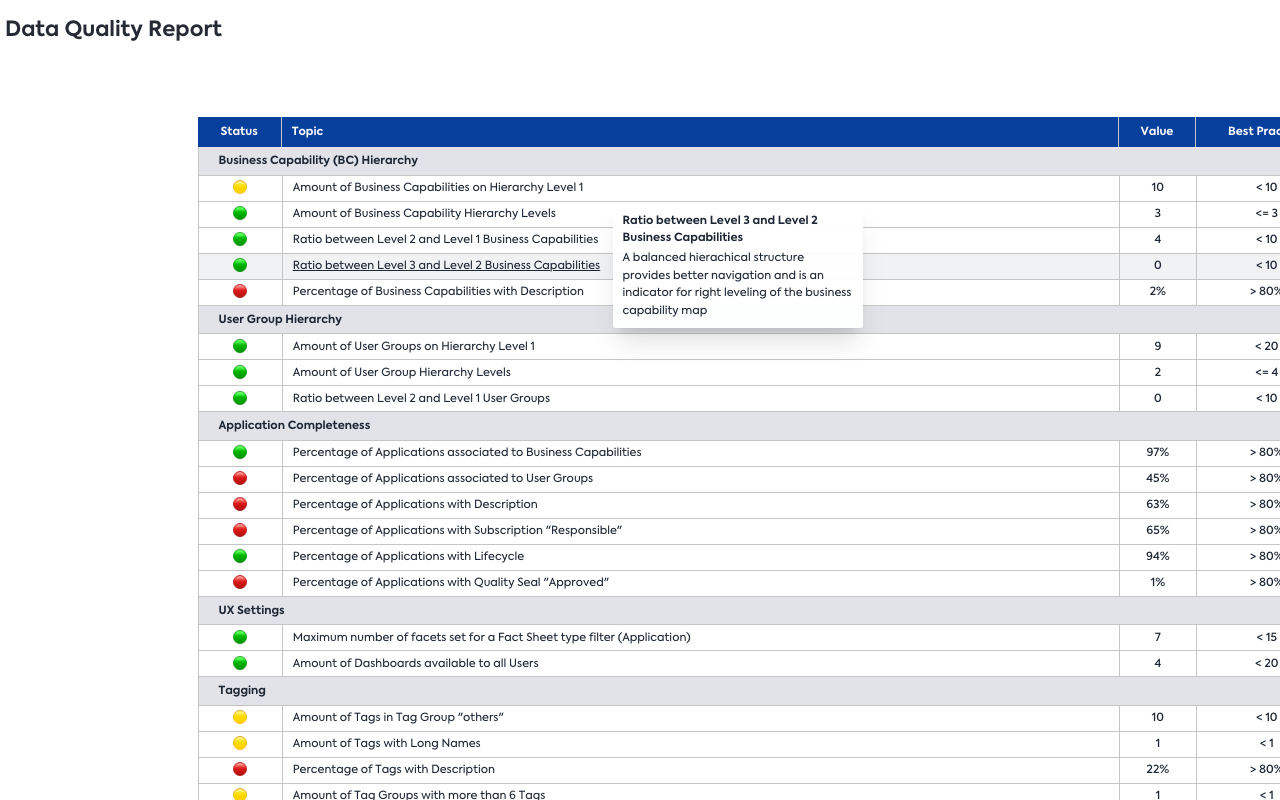
Compare the Data Quality in your workspace with LeanIX Best Practices. Find different indicators in each line, structured by the areas Business Capability (BC) Hierarchy, User Group Hierarchy, Application completeness, UX Settings and Tagging.
Columns are structured as follows:
- Column Status: Turns either green, yellow or red, depending on how good your workspace matches the respective Best Practice
- Column Topic: Outlines the Best Practice.
- Column Value: Contains the value in your workspace regarding the lines topic.
- Column Best Practice: Contains the Best Practice for the corresponding topic.
There are no requirements to make use of this report. It can be used from an early stage to make sure the implemented data aligns with LeanIX Best Practices from early on.