Data Model Explorer (CE)
Add to
Sign In
Use Your LeanIX Workspace
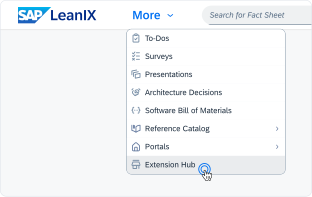
Click 'More' in the main navigation, then select 'Extension Hub'.
You will be signed in automatically.
Change Log
No version history available.
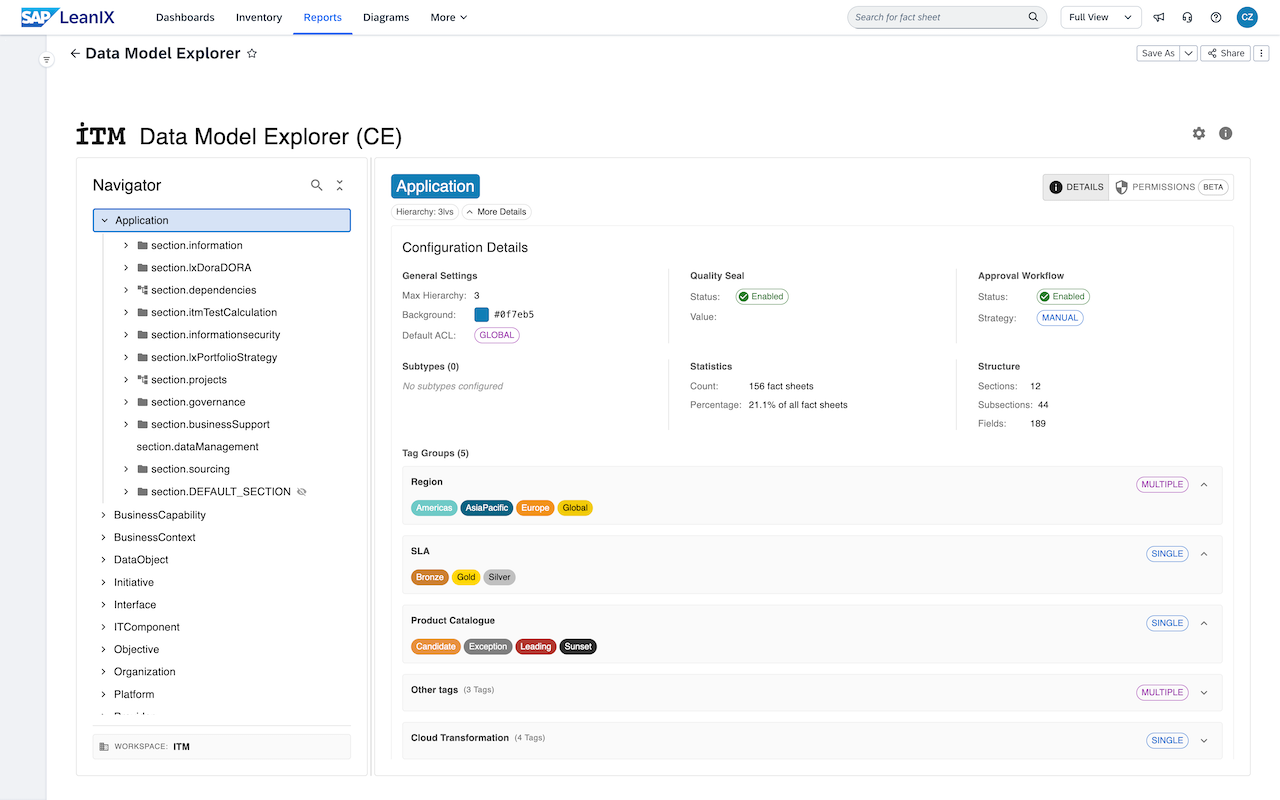
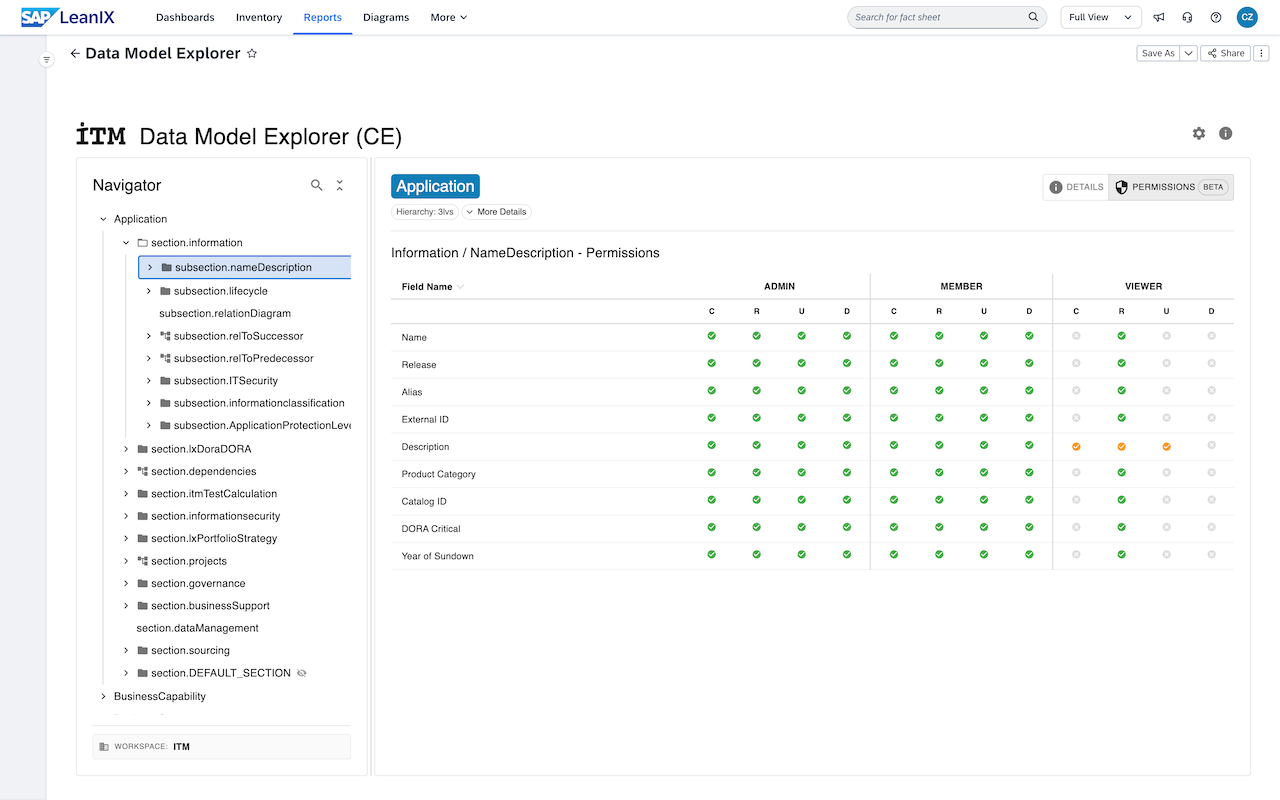
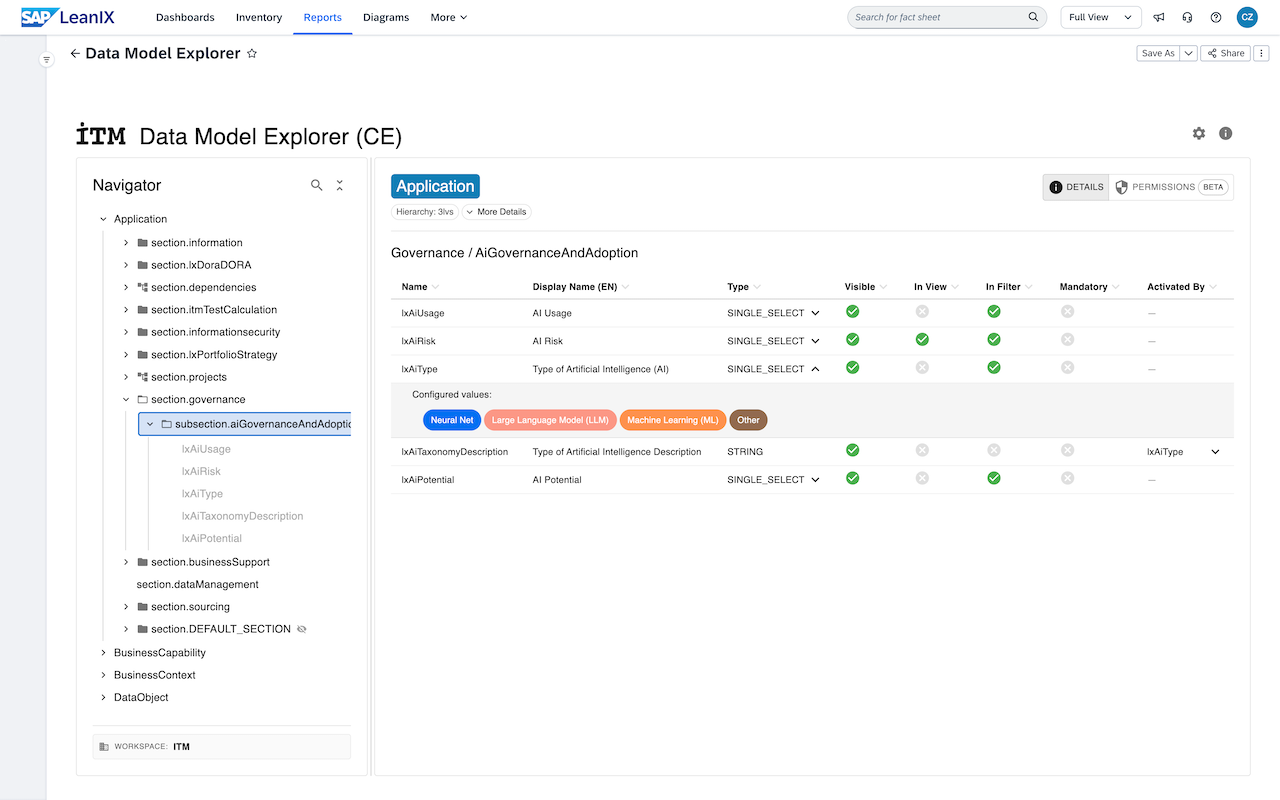
The Data Model Explorer – Community Edition simplifies the navigation of large and complex SAP LeanIX data models. This free edition offers a clear overview of configured fact sheets, their sections, subsections, and attribute configurations. Users can customize which columns are displayed in the table and select preferred languages for fields and dropdowns. The Community Edition also includes visibility into field-level permissions for the default roles (Admin, Member, Viewer). By making the data model more accessible, the Data Model Explorer (CE) helps you explore and manage your SAP LeanIX environment with ease.
Details
Add to Workspace
- Click the Add to Workspace button in the LeanIX Store.
- Follow the on-screen instructions to install the Data Model Explorer into your workspace.
Set Report Visibility
- Navigate to the Workspace Administration area.
- Select the Reports tab.
- Ensure that the Data Model Explorer report is set to visible so that it appears in your reports list.
Open and Explore
- Go to your reports and open the Data Model Explorer.
- Begin exploring your data model, gaining a clear overview of fact sheets, sections, subsections, and attribute configurations.
Customize Settings
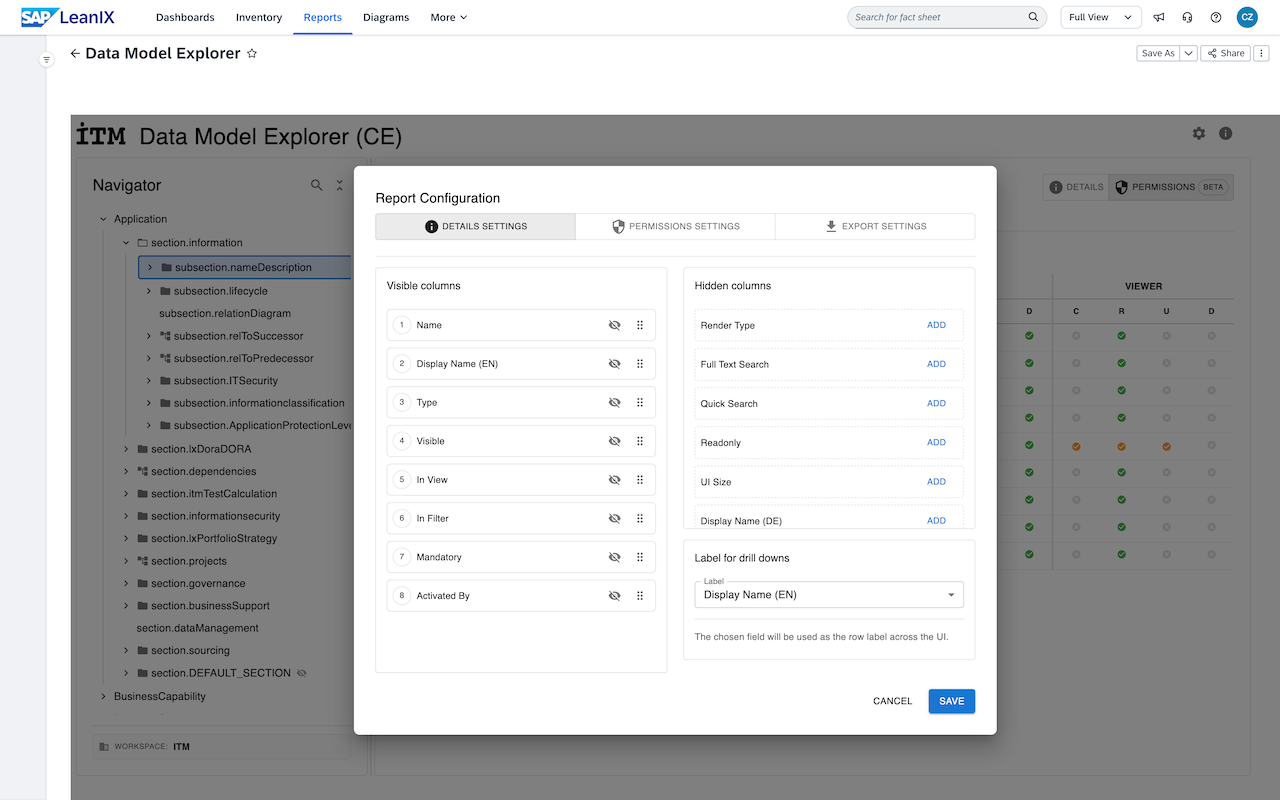
- Click on the settings icon within the report.
- Customize the languages displayed and select which columns you want to view.
- Adjust these settings to tailor the report to your preferences.
No specific configurations or attributes are required for this report to function. The report shows the data model as it is configured in the workspace.
Disclaimer
This extension is provided by ITM Beratungsgesellschaft mbH (ITM Consulting) as is without any warranties, express or implied. ITM Beratungsgesellschaft mbH can not be made liable or responsible for any direct or indirect damages arising from its use except what is in compliance with the SAP LeanIX Store Terms and Conditions. This includes any misconfigurations or decisions made based on the data displayed in the report. Users should verify the reports accuracy and completeness before making any decisions or taking action.
This custom report has been tested with the default SAP LeanIX data model as well as customized data models. However, unique or specialized data model configurations may not be fully supported, which could lead to the display of inaccurate or incorrect configurations that do not reflect your actual SAP LeanIX data model.